How to read this guide
Every module follows the same shape: the planning question the tool answers, what it does, the exact clicks or Processing parameters, the real output, how to interpret it, and what breaks.
Where the screenshots come from
Nothing here is a mock-up
- Every map panel is a QGIS render of a layer the plugin actually produced during a headless run of the real algorithm.
- Every parameter panel is the literal parameter dictionary handed to the algorithm.
- Every browser panel is a Playwright capture of the real web studio, driven by the same selectors the plugin's own browser acceptance tests use.
- Every interface panel is a screenshot of the real widget tree, running against the real data.
The data behind this guide
- Planning master: PLN3113_Tire_Saha_Master_Nihai_Odev10_Birlesik.gpkg (Tire İlçesi cadastral + NIP + street master)
- Existing buildings: tire_yapi_bina_taban.gpkg
- Prepared 1362 design parcels (879 residential, 104 green, 379 other) from the cadastral master; 0 degenerate blocks dropped
- yesil: 252 real zoning lots
- hedef: 205 real zoning lots
Reproduce it yourself
The capture harness ships with the plugin source. From a QGIS-enabled Python prompt:
C:\OSGeo4W\bin\python-qgis-ltr.bat docs\PRACTICAL_GUIDE\practical_guide_runner.py --all
It resolves the datasets, prepares the design parcels from the cadastral master, runs every algorithm, and
rewrites manifest/screenshots.json and the images under screenshots/. The browser
chapters are captured separately by capture_ui.mjs, which drives the plugin's own local server.
The Studio dock — the launcher
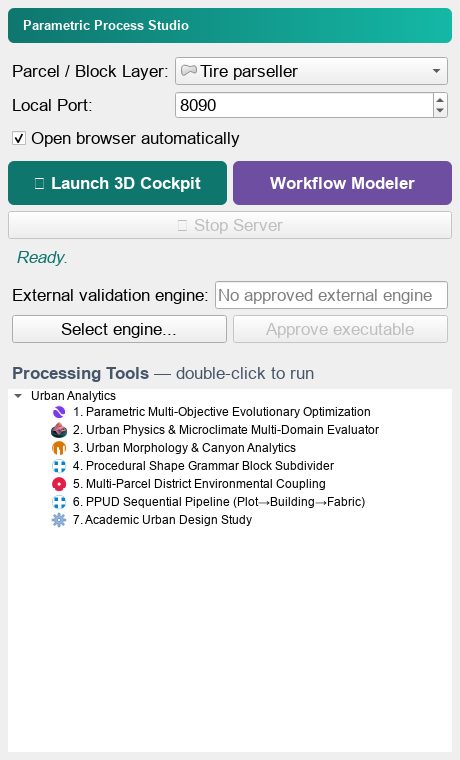
Parametric Process ships as a QGIS dock and a Processing provider. The dock is the launcher: it picks the parcel layer, starts the plugin's local web server and opens the 3D cockpit or the visual workflow modeler. Below it, the Processing Tools tree lists every algorithm — double-click runs it headlessly.
Step by step
- Load your parcel / block layer into QGIS first. The dock only accepts polygon layers.
- Open the dock from Plugins ▸ Parametric Process ▸ Parametric Process Studio.
- Choose the parcel layer in the Parcel / Block Layer combo box.
- Leave the local port at 8090 (or change it if something else holds the port — the dock falls back to a free one).
- Press Launch 3D Cockpit for the generative view, or Workflow Modeler for the node canvas.
- The Processing Tools tree below lists all seven algorithms; double-click any of them to run it against the current project.
The result
When it goes wrong
- The cockpit opens with a demo city instead of your data — the server could not read the layer; check that the layer is loaded and polygon-typed.
- The port is busy — the dock reports the fallback port in the status line; use that URL.
- The engine path stays empty — an external validation engine is optional; it only matters for cross-checking against an outside model.
Preparing a parcel layer for the engines
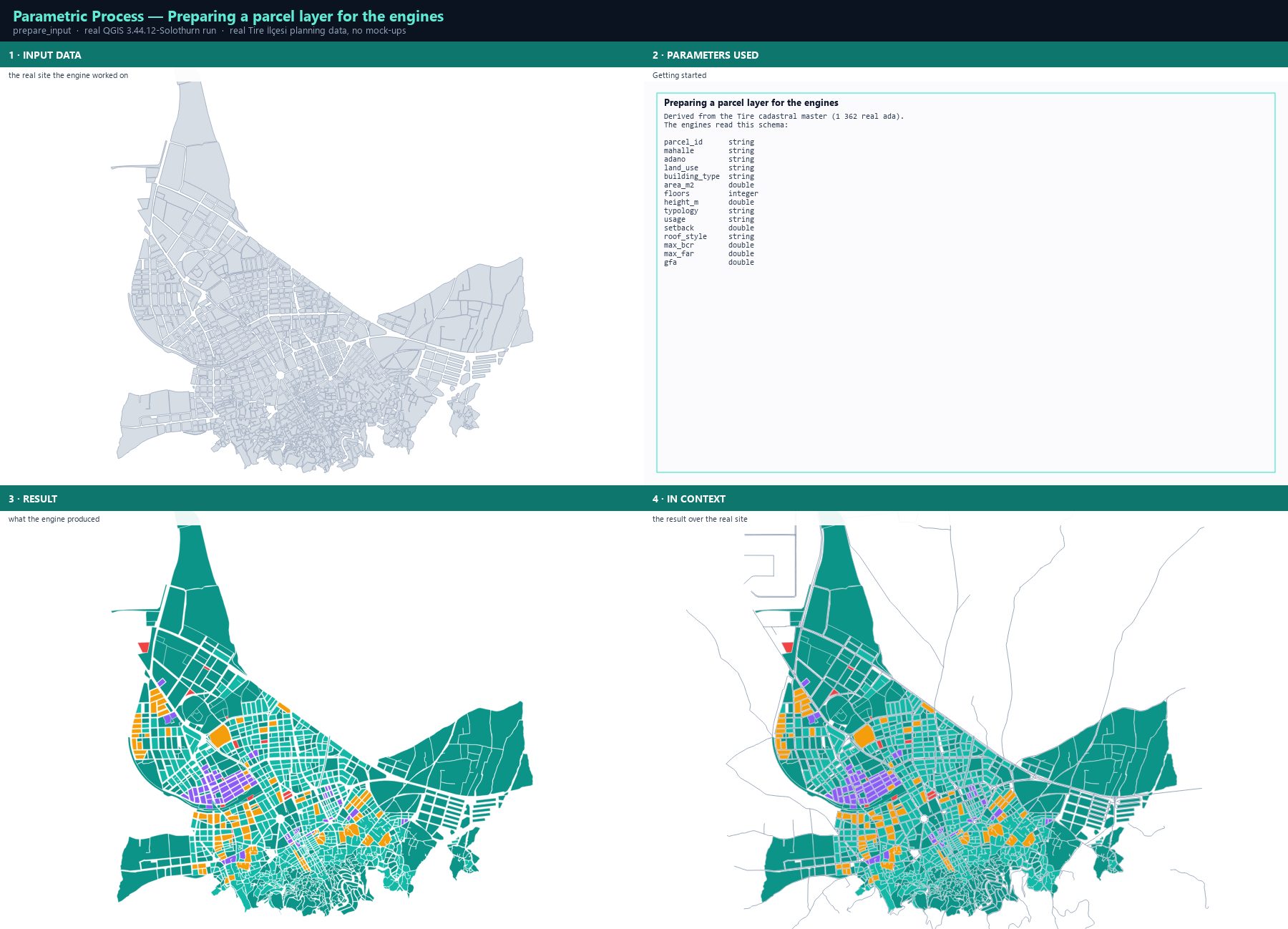
The generative engines are not map renderers — they are design engines, and they read a fixed schema: floors, height_m, typology, usage, setback, roof_style, max_bcr, max_far and gfa. Your cadastral data rarely carries those names, so the first job is to translate it. This chapter does that with the real Tire master and shows the schema the engines see.
Step by step
- Open the Tire planning master and select the cadastral master layer: 1 362 real ada with land use, dominant building type, average floors and area.
- Read the land-use class into a design envelope. Residential density classes map to a BCR / FAR / height cap, and the dominant building type maps to one of the eight built-in typologies (Tower, Slab, Courtyard, LShape, UShape, PodiumTower, SteppedTower, MultiBuildingBlock).
- Derive the storey count from the average floor count and convert it to height with the local storey height — 3.0 m in this data, 3.5 m for the 2.5D studio elsewhere.
- Set the setback from the use class — 3.0 m for residential, 5.0 m for civic and commercial.
- Write the four fields the engines read: floors, height_m, typology, usage, plus max_bcr, max_far and gfa.
- Run Fix geometries first. A degenerate block cannot be subdivided and will abort a PPUD run with a confusing 'parcel_area must be greater than zero' error.
The result
Exact run used for the screenshots
Derived from the Tire cadastral master (1 362 real ada).
The engines read this schema:

parcel_id      string
mahalle        string
adano          string
land_use       string
building_type  string
area_m2        double
floors         integer
height_m       double
typology       string
usage          string
setback        double
roof_style     string
max_bcr        double
max_far        double
gfa            double
When it goes wrong
- The run aborts with 'parcel_area must be a finite value greater than zero' — a multi-part block whose first part encloses no area; fix the geometry or take the largest part.
- Every design comes out identical — the layer has no floors/height field, so the genes have no range; check the schema.
- The results look implausible for the site — the BCR/FAR caps came from the wrong density class; the mapping table is in this chapter.
Parametric multi-objective optimization
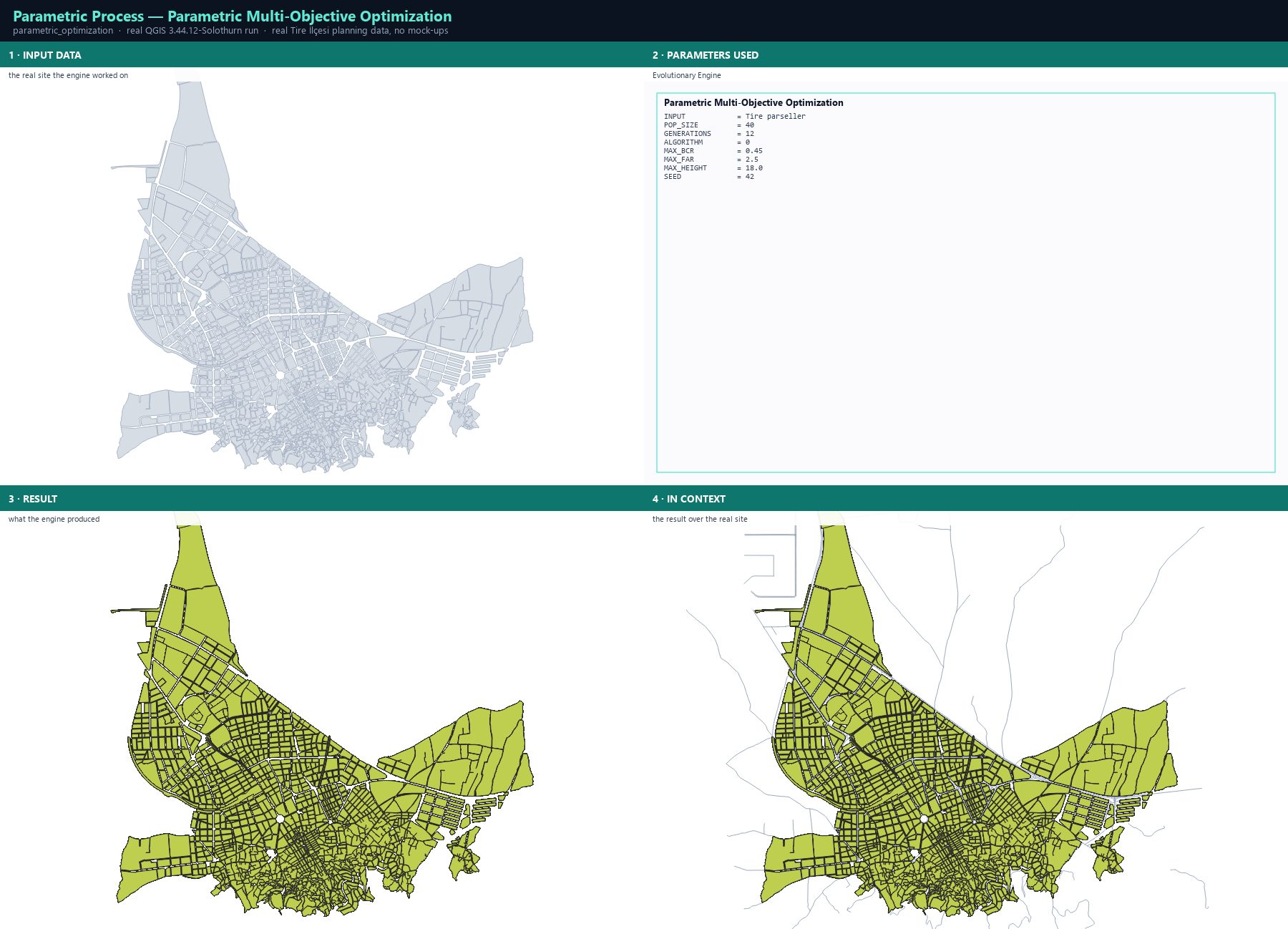
The core engine proposes candidate massing for every parcel and evolves them against several objectives at once under hard zoning constraints. It is not a greedy optimiser: NSGA-II keeps a non-dominated archive, so the output is a set of trade-off designs rather than one answer.
Step by step
- Open Processing Toolbox ▸ Parametric Process Studio ▸ 1. Parametric Multi-Objective Evolutionary Optimization.
- Set INPUT to the prepared parcel layer, POP_SIZE to 40 and GENERATIONS to 12.
- ALGORITHM: NSGA-II for the fast default, SPEA-2 for fine-grained strength-based ranking, NSGA-III for reference-point niching on many objectives, MOEA/D for range-normalised decomposition.
- Set the hard constraint envelope: MAX_BCR 0.45, MAX_FAR 2.5, MAX_HEIGHT 18.0 (metres). Infeasible candidates are penalised by the exact violation magnitude, not merely rejected.
- Set SEED to 42 for a reproducible run — the same seed and the same input give the same designs.
- Run. The output carries far, bcr, gfa, floors, height_m, typology, plan_score, pop_est, carbon, runoff, utci_score, svf_ratio, canyon_hw, pareto_rank and more.
The result
Parameters
| Parameter | Description | Type | Default |
|---|---|---|---|
| INPUT | Input Polygon Layer | Input layer | — |
| POP_SIZE | Population Size | Number | 30 |
| GENERATIONS | Generations | Number | 15 |
| ALGORITHM | Algorithm NSGA-II · SPEA-2 · NSGA-III · MOEA/D | Enumeration | NSGA-II |
| MAX_BCR | Max BCR (ratio) | Number | 0.45 |
| MAX_FAR | Max FAR | Number | 2.5 |
| MAX_HEIGHT | Max Height (m) | Number | 18.0 |
| SEED | Random seed (reproducibility) | Number | 42 |
| OUTPUT | Pareto Front Output | Output layer | — |
Exact run used for the screenshots
INPUT            = Tire parseller
POP_SIZE         = 40
GENERATIONS      = 12
ALGORITHM        = 0
MAX_BCR          = 0.45
MAX_FAR          = 2.5
MAX_HEIGHT       = 18.0
SEED             = 42
When it goes wrong
- The run is rejected — the input CRS is geographic; area would be measured in degrees, so reproject to a metric CRS first.
- Everything is infeasible — max_bcr/max_far are below what the existing fabric already does; raise them to the planning norms and let the penalty guide the search.
- The same input gives different results — the SEED changed; set it explicitly and record it in the report.
Processing ID: parametric_process:parametric_optimization
Four solvers, one site, real numbers
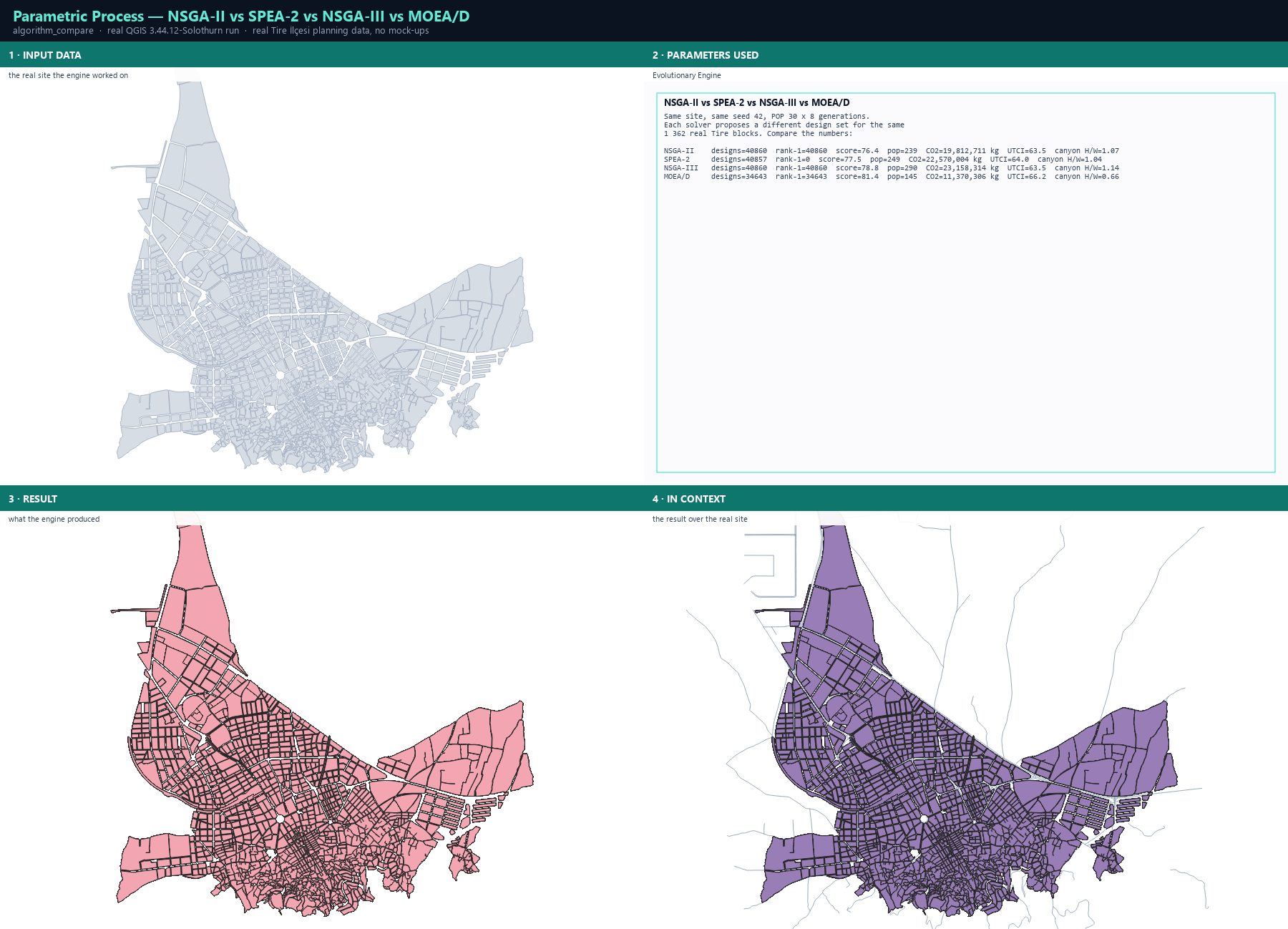
All four solvers were run on the same 1 362 Tire blocks, the same seed and the same budget. The interesting difference is not the map — it is the shape of the solution set each algorithm returns, measured on the metrics the engines actually write.
Step by step
- Run the same job four times with ALGORITHM set to 0, 1, 2 and 3, keeping POP_SIZE, GENERATIONS and SEED identical.
- Compare the output layers on the metrics that matter: mean plan_score, mean pop_est, mean carbon, mean utci_score and mean canyon H/W.
- Watch the design count: MOEA/D returns fewer designs because its decomposition-based niching prunes duplicates more aggressively.
- Watch the canyon H/W: values around 1.0 mean the street canyons stay in the comfortable range; 1.4+ is a wind problem.
The result
Parameters
| Parameter | Description | Type | Default |
|---|---|---|---|
| INPUT | Input Polygon Layer | Input layer | — |
| POP_SIZE | Population Size | Number | 30 |
| GENERATIONS | Generations | Number | 15 |
| ALGORITHM | Algorithm NSGA-II · SPEA-2 · NSGA-III · MOEA/D | Enumeration | NSGA-II |
| MAX_BCR | Max BCR (ratio) | Number | 0.45 |
| MAX_FAR | Max FAR | Number | 2.5 |
| MAX_HEIGHT | Max Height (m) | Number | 18.0 |
| SEED | Random seed (reproducibility) | Number | 42 |
| OUTPUT | Pareto Front Output | Output layer | — |
Exact run used for the screenshots
Same site, same seed 42, POP 30 x 8 generations.
Each solver proposes a different design set for the same
1 362 real Tire blocks. Compare the numbers:

NSGA-II    designs=40860  rank-1=40860  score=76.4  pop=239  CO2=19,812,711 kg  UTCI=63.5  canyon H/W=1.07
SPEA-2     designs=40857  rank-1=0  score=77.5  pop=249  CO2=22,570,004 kg  UTCI=64.0  canyon H/W=1.04
NSGA-III   designs=40860  rank-1=40860  score=78.8  pop=290  CO2=23,158,314 kg  UTCI=63.5  canyon H/W=1.14
MOEA/D     designs=34643  rank-1=34643  score=81.4  pop=145  CO2=11,370,306 kg  UTCI=66.2  canyon H/W=0.66
When it goes wrong
- The four outputs look identical on the map — they are the same parcels with different attribute values; compare the numbers, not the colours.
- A solver returns far fewer designs — decomposition-based niching removes near-duplicates; raise POP_SIZE to compensate.
- Results change between runs — the seed is not fixed.
Processing ID: parametric_process:parametric_optimization
Urban physics & microclimate evaluator
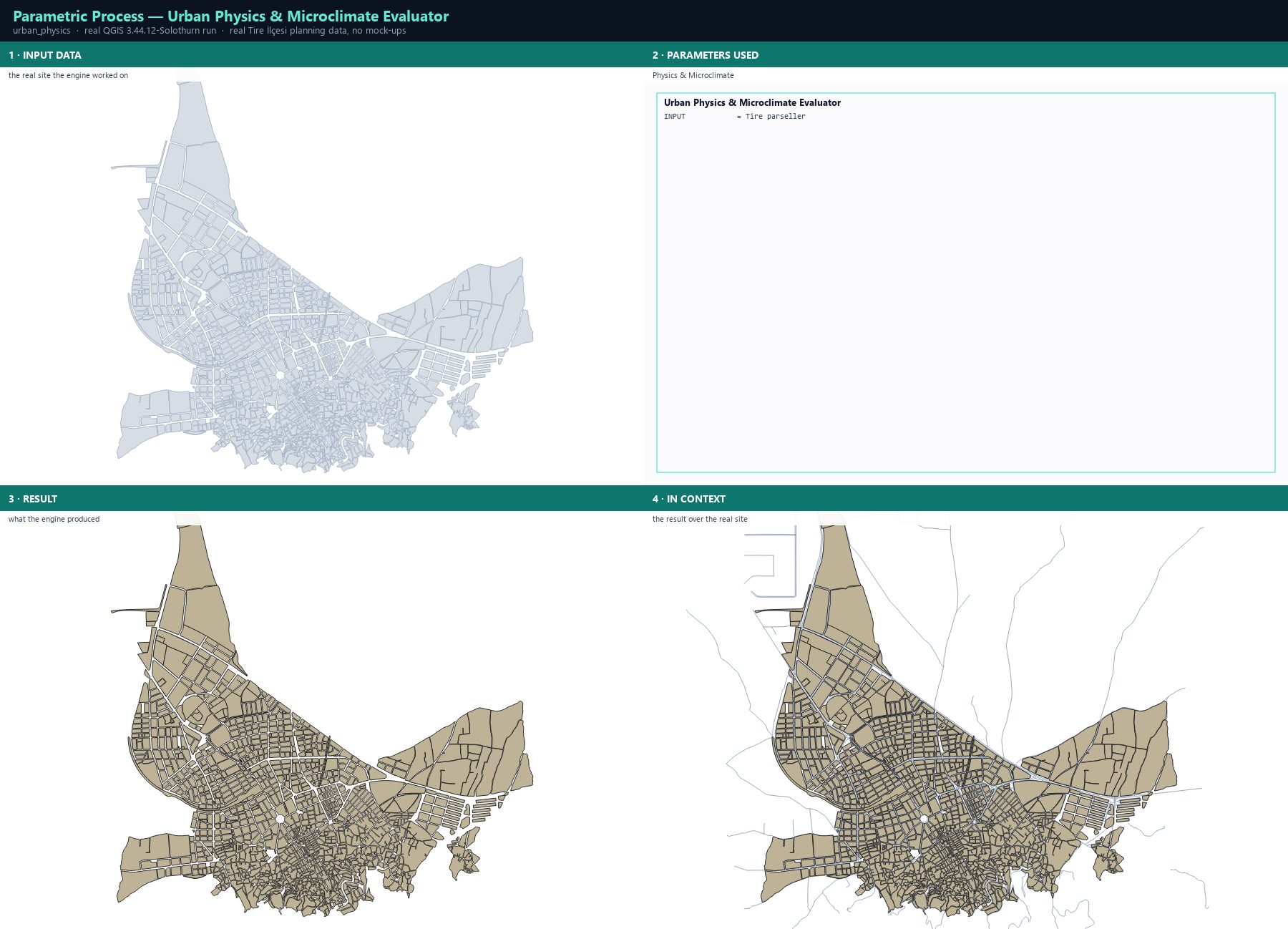
The physics engine scores a design across fifteen microclimate and financial domains: wind ventilation and pedestrian comfort, solar access, air dispersion, sky view factor, sol-air temperature, runoff, carbon, plus the financial side (NPV, IRR, payback). These are transparent screening models with published thresholds, not CFD — the point is comparison between options, not certification.
Step by step
- Open Processing Toolbox ▸ Parametric Process Studio ▸ 2. Urban Physics & Microclimate Multi-Domain Evaluator and set INPUT to your design layer (a solver output or a measured design).
- Run. Every feature is scored and the metrics are written back onto the same geometry.
- Read carbon, wind_score, solar_kwh, utci_score, runoff, svf_ratio, canyon_hw, npv, irr and the rest in the attribute table.
- Compare the design with the existing fabric: run the evaluator on the current condition layer first, then on the proposal, and diff the two.
The result
Parameters
| Parameter | Description | Type | Default |
|---|---|---|---|
| INPUT | Input Building Footprints | Input layer | — |
| OUTPUT | Enriched Evaluated Layers | Output layer | — |
Exact run used for the screenshots
INPUT = Tire parseller
When it goes wrong
- Every score is identical — the layer carries no height or floors, so the physics models have no geometry to work with.
- The values look extreme — a screening model assumes a uniform street profile; treat the numbers as comparative, not absolute.
- Solar access is implausibly high — the model needs a latitude and an orientation it read from the layer CRS; check the CRS is geographic-or-local as expected.
Processing ID: parametric_process:urban_physics_evaluator
Urban morphology & canyon analytics
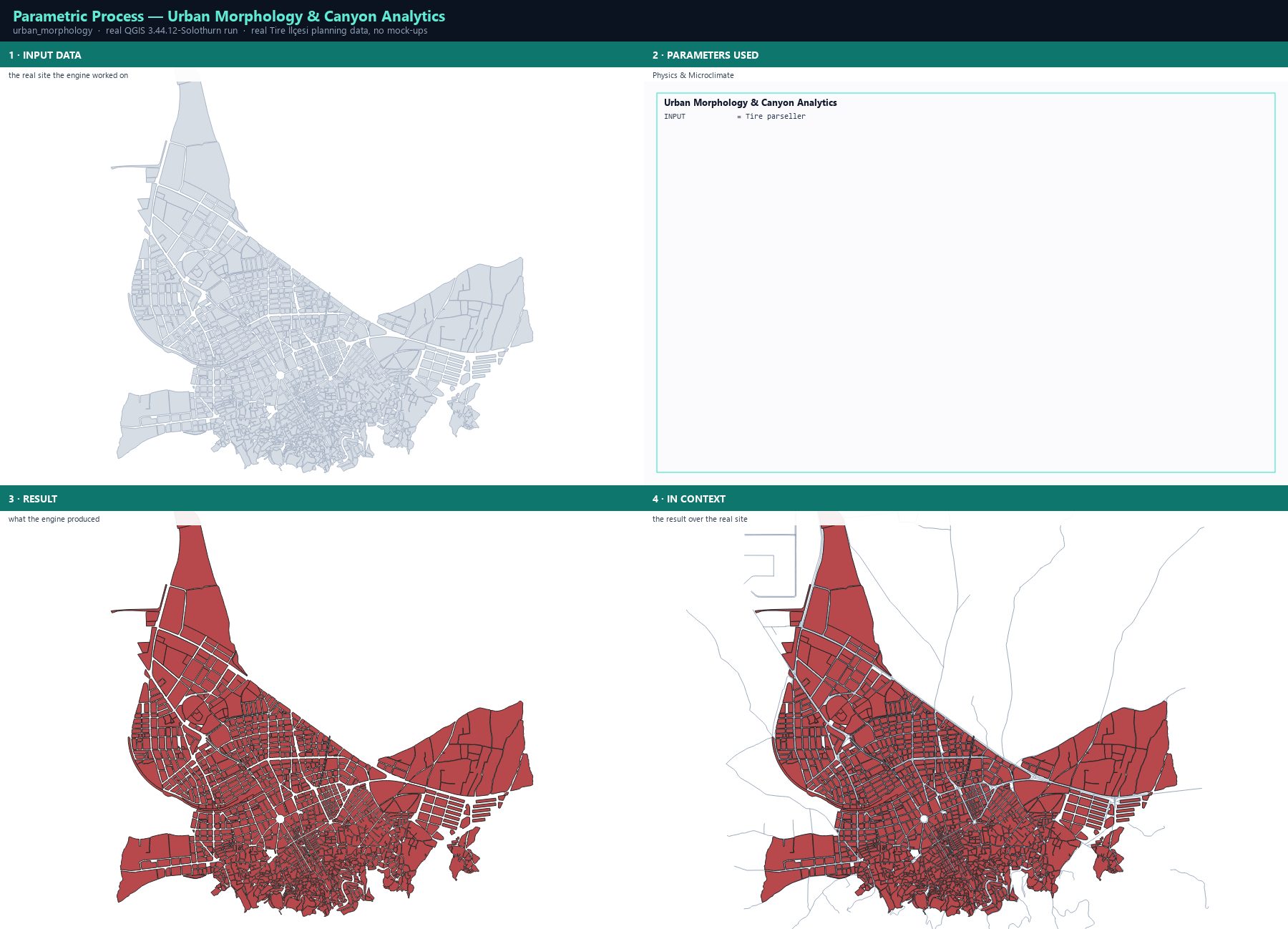
The morphology engine measures the block itself: footprint coverage, the share of the block given to open space, the street-wall height-to-width ratio, the orientation of the long axis against the sun, and the resulting canyon geometry. It is the diagnostic that tells you *why* a street feels the way it does.
Step by step
- Open Processing Toolbox ▸ Parametric Process Studio ▸ 3. Urban Morphology & Canyon Analytics and set INPUT to the parcel or design layer.
- Run. The engine adds the morphology fields to the same layer.
- Read the canyon ratio and the orientation fields together: a long axis running east–west in a northern-hemisphere city means the sun never reaches the lower floors.
- Use the open-space share to identify the blocks that could absorb more density without losing their courtyards.
The result
Parameters
| Parameter | Description | Type | Default |
|---|---|---|---|
| INPUT | Input Polygon Layer | Input layer | — |
| OUTPUT | Output Morphology Layer | Output layer | — |
Exact run used for the screenshots
INPUT = Tire parseller
When it goes wrong
- The canyon ratio comes out absurd for very small blocks — the ratio needs enough width to be meaningful; filter tiny parcels first.
- Orientation looks random — the engine works on the long axis of the footprint; for L-shaped or crescent parcels that is only an approximation.
- The values differ from a manual measurement — the engine measures the footprint, not the building envelope; a setback moves the number.
Processing ID: parametric_process:urban_morphology_analytics
Procedural shape grammar — subdividing a block
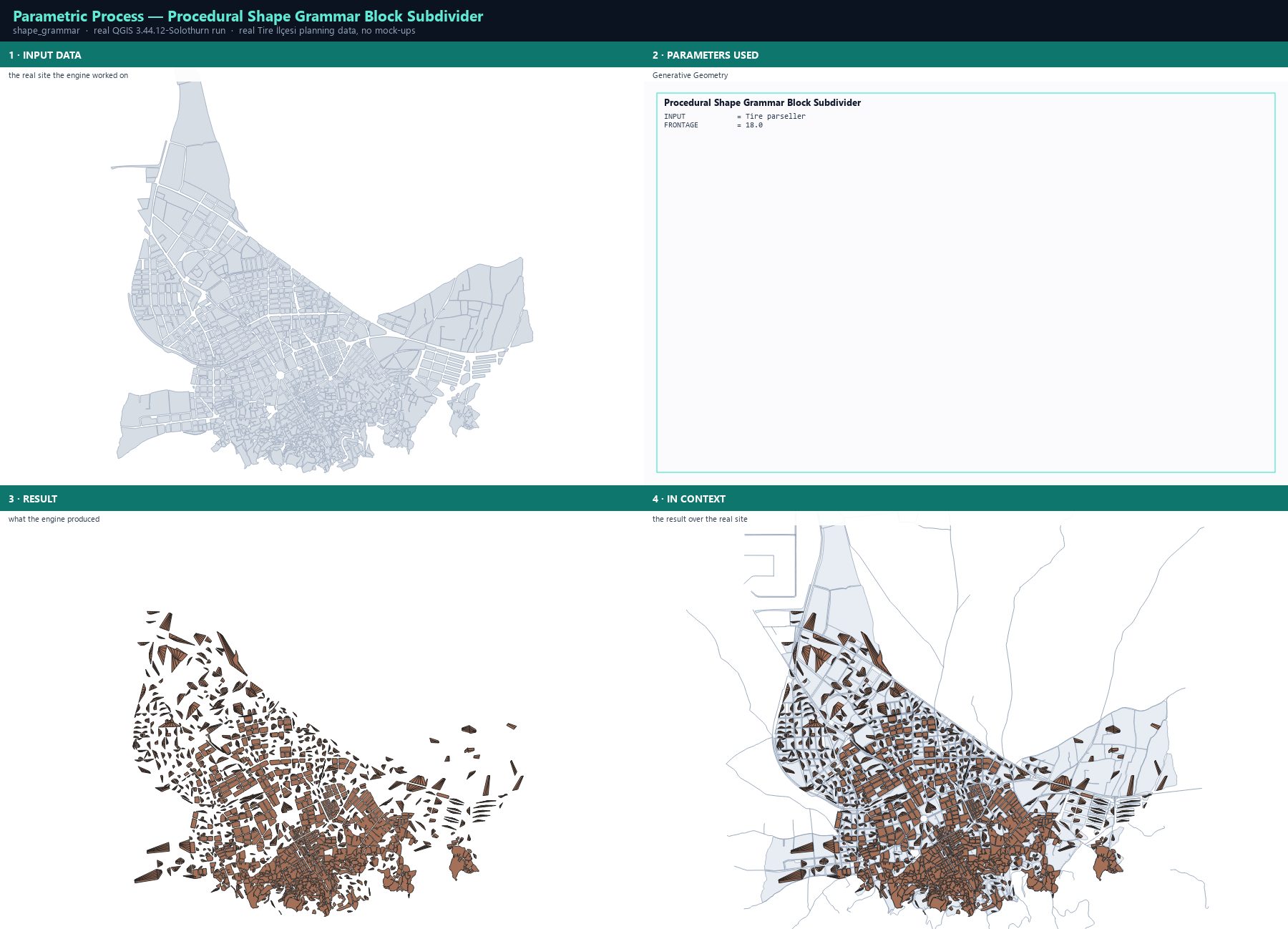
The shape grammar turns a single block outline into a set of buildable plots using a rewrite rule set: the block is recursively split along its longest edge, and each fragment is re-evaluated against a target frontage. It is the geometric primitive every generative workflow starts from.
Step by step
- Open Processing Toolbox ▸ Parametric Process Studio ▸ 4. Procedural Shape Grammar Block Subdivider.
- Set INPUT to the block polygon layer and FRONTAGE to the target plot frontage in metres — 18.0 m suits a typical Turkish residential row.
- Run. Each block is replaced by its subdivided plots, carrying the rule trace.
- Feed the result into the PPUD pipeline or the parametric optimiser: the plots are the design units the engines reason about.
The result
Parameters
| Parameter | Description | Type | Default |
|---|---|---|---|
| INPUT | Input Block Layer | Input layer | — |
| FRONTAGE | Target Frontage Width (m) | Number | 18.0 |
| OUTPUT | Subdivided Sub-Lots Layer | Output layer | — |
Exact run used for the screenshots
INPUT            = Tire parseller
FRONTAGE         = 18.0
When it goes wrong
- A block produces a single plot — the block was too small for the frontage, or its outline is degenerate.
- The plots do not tile the block — the longest-edge rule cannot handle very concave outlines; simplify the geometry first.
- The plots have no access to the street — frontage-based subdivision assumes each plot touches the perimeter; blocks with a closed courtyard need the perimeter strategy instead.
Processing ID: parametric_process:procedural_shape_grammar
Multi-parcel district environmental coupling
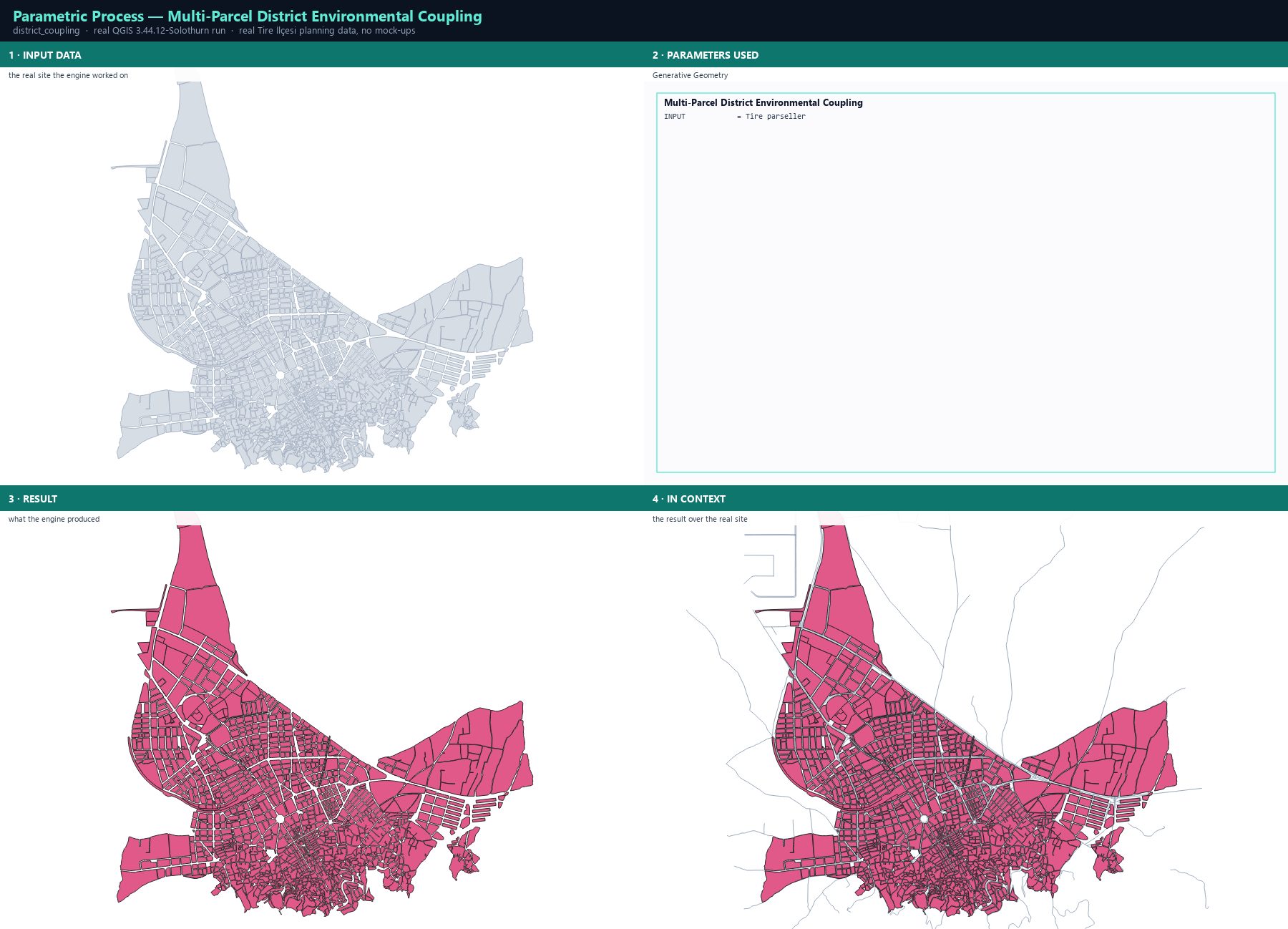
District coupling evaluates a set of parcels together instead of one at a time: a block's massing changes the wind corridor, the shading and the carbon balance of the blocks around it. This is the module that turns an isolated block study into a neighbourhood study.
Step by step
- Open Processing Toolbox ▸ Parametric Process Studio ▸ 5. Multi-Parcel District Environmental Coupling.
- Set INPUT to the parcel layer of the district you want to evaluate as one system.
- Run. The engine couples the parcels and writes the district-level environmental results onto the layer.
- Compare the coupled result with the same parcels evaluated individually — the difference is the interference effect.
The result
Parameters
| Parameter | Description | Type | Default |
|---|---|---|---|
| INPUT | Input District Layer | Input layer | — |
| OUTPUT | Coupled District Layer | Output layer | — |
Exact run used for the screenshots
INPUT = Tire parseller
When it goes wrong
- The results are identical to the single-parcel run — the parcels do not touch, so there is nothing to couple; check the geometry.
- Everything degrades at once — one oversized block is dominating the district; look for the outlier in the attributes.
- The run is slow — coupling is quadratic in the number of interacting parcels; evaluate a neighbourhood-sized subset.
Processing ID: parametric_process:district_environmental_coupling
PPUD pipeline — plot, building, fabric
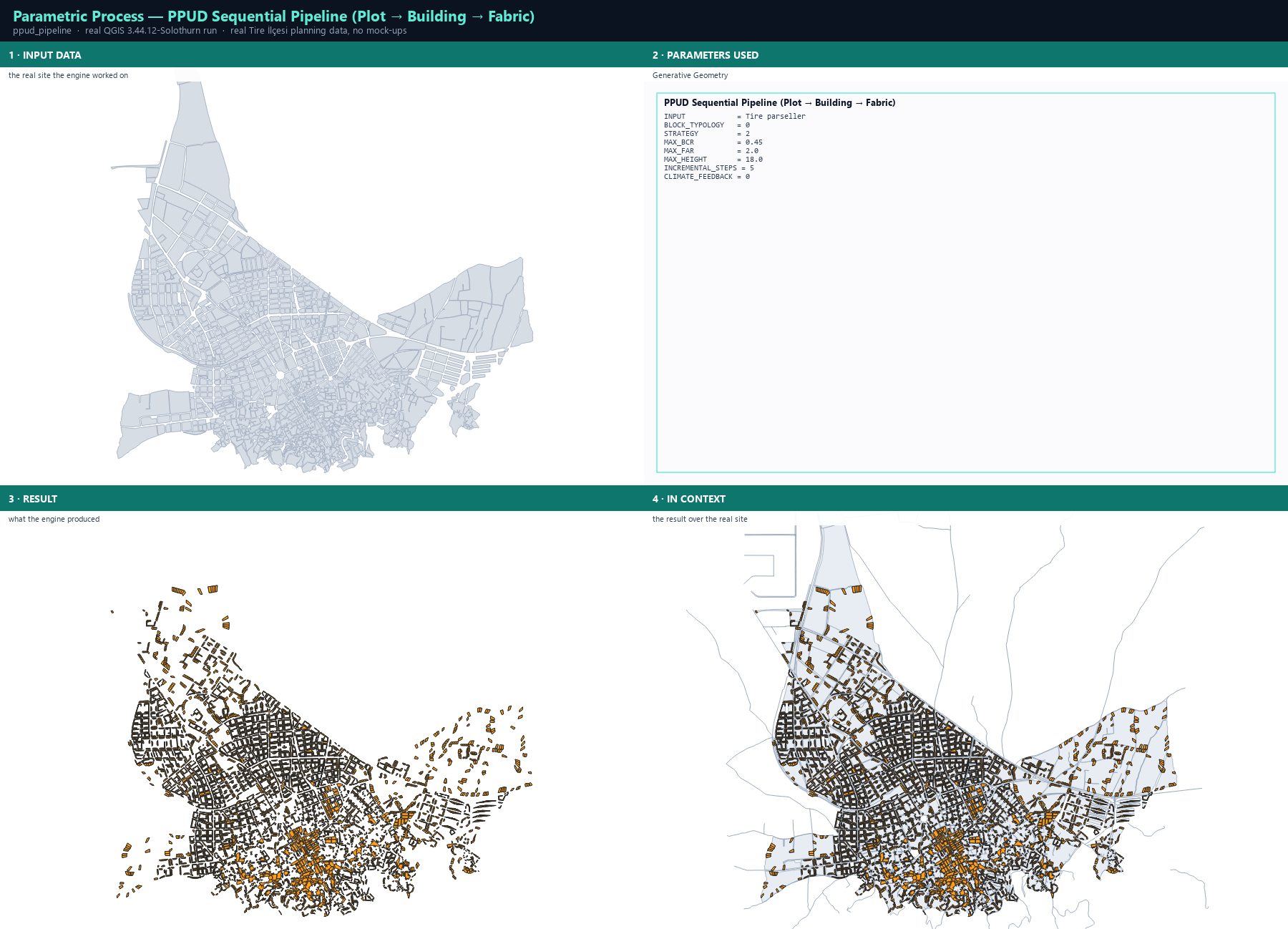
PPUD (Plot–Building–Urban Design) is the plugin's three-stage sequential engine. Stage 1 subdivides each block into plots with a chosen strategy. Stage 2 assigns a building genotype to every plot and optimises it against the zoning envelope. Stage 3 develops the fabric incrementally in randomised phases, recomputing mutual shadowing and canyon wind between phases — and with climate feedback on, later phases adapt their genotype to what the earlier ones already built.
Step by step
- Open Processing Toolbox ▸ Parametric Process Studio ▸ 6. PPUD Sequential Pipeline.
- Set INPUT to the block layer and choose BLOCK_TYPOLOGY: PerimeterBlock, LinearBlock, PavilionBlock, OrganicBlock or HybridBlock.
- Choose STRATEGY: frontage for row-house plots, grid for orthogonal fabric, perimeter for courtyard blocks, organic for medieval irregularity, radial for Beaux-Arts composition, hybrid for perimeter edges with a grid interior.
- Set the zoning envelope (MAX_BCR, MAX_FAR, MAX_HEIGHT) and INCREMENTAL_STEPS — the number of development phases.
- Turn CLIMATE_FEEDBACK on: a plot developed in a later phase that would suffer more than 30 % shadow loss drops a floor and widens its setback; a canyon wind above 8 m/s switches the typology from Slab to SteppedTower.
- Run. OUTPUT_PLOTS gives the subdivided plots with 14 performance metrics and a fabric_step field; OUTPUT_FBC gives the machine-readable form-based code (build-to-line, max floors, max height, setback).
The result
Parameters
| Parameter | Description | Type | Default |
|---|---|---|---|
| INPUT | Input Block Polygon Layer | Input layer | — |
| BLOCK_TYPOLOGY | Block Typology PerimeterBlock · LinearBlock · PavilionBlock · OrganicBlock · HybridBlock | Enumeration | PerimeterBlock |
| STRATEGY | Subdivision Strategy frontage · grid · perimeter · organic · radial · hybrid | Enumeration | perimeter |
| MAX_BCR | Max BCR | Number | 0.45 |
| MAX_FAR | Max FAR | Number | 2.0 |
| MAX_HEIGHT | Max Height (m) | Number | 18.0 |
| INCREMENTAL_STEPS | Incremental Development Steps | Number | 5 |
| CLIMATE_FEEDBACK | Climate Feedback Enabled · Disabled | Enumeration | Enabled |
| OUTPUT_PLOTS | PPUD Subdivided Plots Layer | Output layer | — |
| OUTPUT_FBC | Form-Based Code Diagram Layer | Output layer | — |
Exact run used for the screenshots
INPUT            = Tire parseller
BLOCK_TYPOLOGY   = 0
STRATEGY         = 2
MAX_BCR          = 0.45
MAX_FAR          = 2.0
MAX_HEIGHT       = 18.0
INCREMENTAL_STEPS = 5
CLIMATE_FEEDBACK = 0
When it goes wrong
- The run aborts with a parcel-area error — a degenerate multi-part block; fix the geometry or take the largest part.
- Every plot has the same genotype — the block typology's compatible building list is too narrow for the strategy; switch typology.
- The fabric_step field is constant — INCREMENTAL_STEPS is 1; raise it to 5–10 to see the phasing.
Processing ID: parametric_process:ppud_pipeline
Academic urban design study
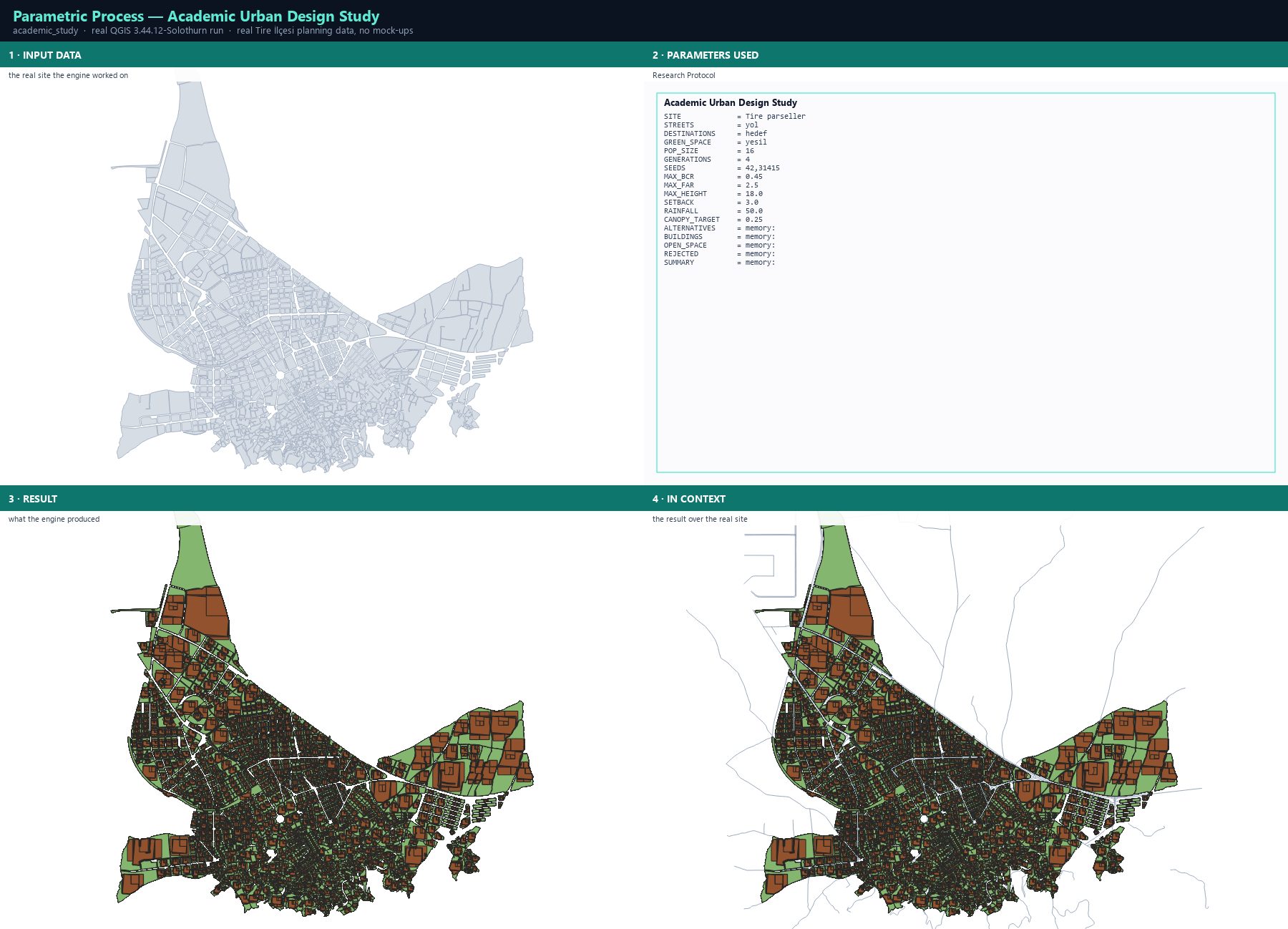
The academic study is the plugin's research protocol: it builds a versioned study object from the site, the street network, the destinations and the green space, then runs the solver across several seeds and reports every alternative, every building, the open space, the rejected designs and a summary. The point is not a picture — it is an auditable record with a manifest.
Step by step
- Open Processing Toolbox ▸ Parametric Process Studio ▸ 7. Academic Urban Design Study.
- SITE: the prepared parcel layer. STREETS: the real street network. DESTINATIONS: schools, health and civic land. GREEN_SPACE: parks and planted areas. All four must share the site's CRS.
- Set SEEDS to several values, e.g. 42,31415,271828 — a multi-seed run is what makes the result defensible, because it shows the answer is not a lucky draw.
- Set the constraint envelope (MAX_BCR, MAX_FAR, MAX_HEIGHT), SETBACK, RAINFALL and CANOPY_TARGET.
- Run. The outputs are ALTERNATIVES, BUILDINGS, OPEN_SPACE, REJECTED and SUMMARY — the rejected set is part of the evidence, not a failure.
- Export the study JSON and its manifest, and read the access and robustness reports before you write a single sentence about the results.
The result
Parameters
| Parameter | Description | Type | Default |
|---|---|---|---|
| SITE | Site parcels | Input layer | — |
| ID_FIELD | Unique parcel ID field | Field | — |
| BCR_FIELD | Maximum BCR field | Field | — |
| FAR_FIELD | Maximum FAR field | Field | — |
| HEIGHT_FIELD | Maximum height field | Field | — |
| FRONT_FIELD | Front setback field | Field | — |
| SIDE_FIELD | Side setback field | Field | — |
| REAR_FIELD | Rear setback field | Field | — |
| STREETS | Street network (optional) | Input layer | — |
| DESTINATIONS | Destinations or transit stops (optional) | Input layer | — |
| GREEN_SPACE | Green space or canopy polygons (optional) | Input layer | — |
| POP_SIZE | Population size | Number | 24 |
| GENERATIONS | Generations | Number | 8 |
| SEEDS | Unique random seeds (comma-separated) | String | 42,31415,271828 |
| MAX_BCR | Default maximum BCR | Number | 0.45 |
| MAX_FAR | Default maximum FAR | Number | 2.5 |
| MAX_HEIGHT | Default maximum height (m) | Number | 18.0 |
| SETBACK | Default setback (m) | Number | 3.0 |
| RAINFALL | Design rainfall event (mm) | Number | 50.0 |
| CANOPY_TARGET | Target canopy ratio | Number | 0.25 |
| ALTERNATIVES | Alternative records | Output layer | — |
| BUILDINGS | Generated building massing | Output layer | — |
| OPEN_SPACE | Residual open space | Output layer | — |
| REJECTED | Rejected alternatives | Output layer | — |
| SUMMARY | Parcel robustness summary | Output layer | — |
Exact run used for the screenshots
SITE             = Tire parseller
STREETS          = yol
DESTINATIONS     = hedef
GREEN_SPACE      = yesil
POP_SIZE         = 16
GENERATIONS      = 4
SEEDS            = 42,31415
MAX_BCR          = 0.45
MAX_FAR          = 2.5
MAX_HEIGHT       = 18.0
SETBACK          = 3.0
RAINFALL         = 50.0
CANOPY_TARGET    = 0.25
ALTERNATIVES     = memory:
BUILDINGS        = memory:
OPEN_SPACE       = memory:
REJECTED         = memory:
SUMMARY          = memory:
When it goes wrong
- A layer is rejected because its CRS differs — the protocol refuses to compare across projections; reproject it to the site CRS.
- Every design is rejected — the constraint envelope is stricter than the existing fabric; the study is telling you the site cannot be legally redeveloped as parameterised.
- The run is very slow — multi-seed academic runs are expensive; reduce POP_SIZE for the pilot and raise it only for the final run.
Processing ID: parametric_process:academic_urban_design_study
The 3D cockpit
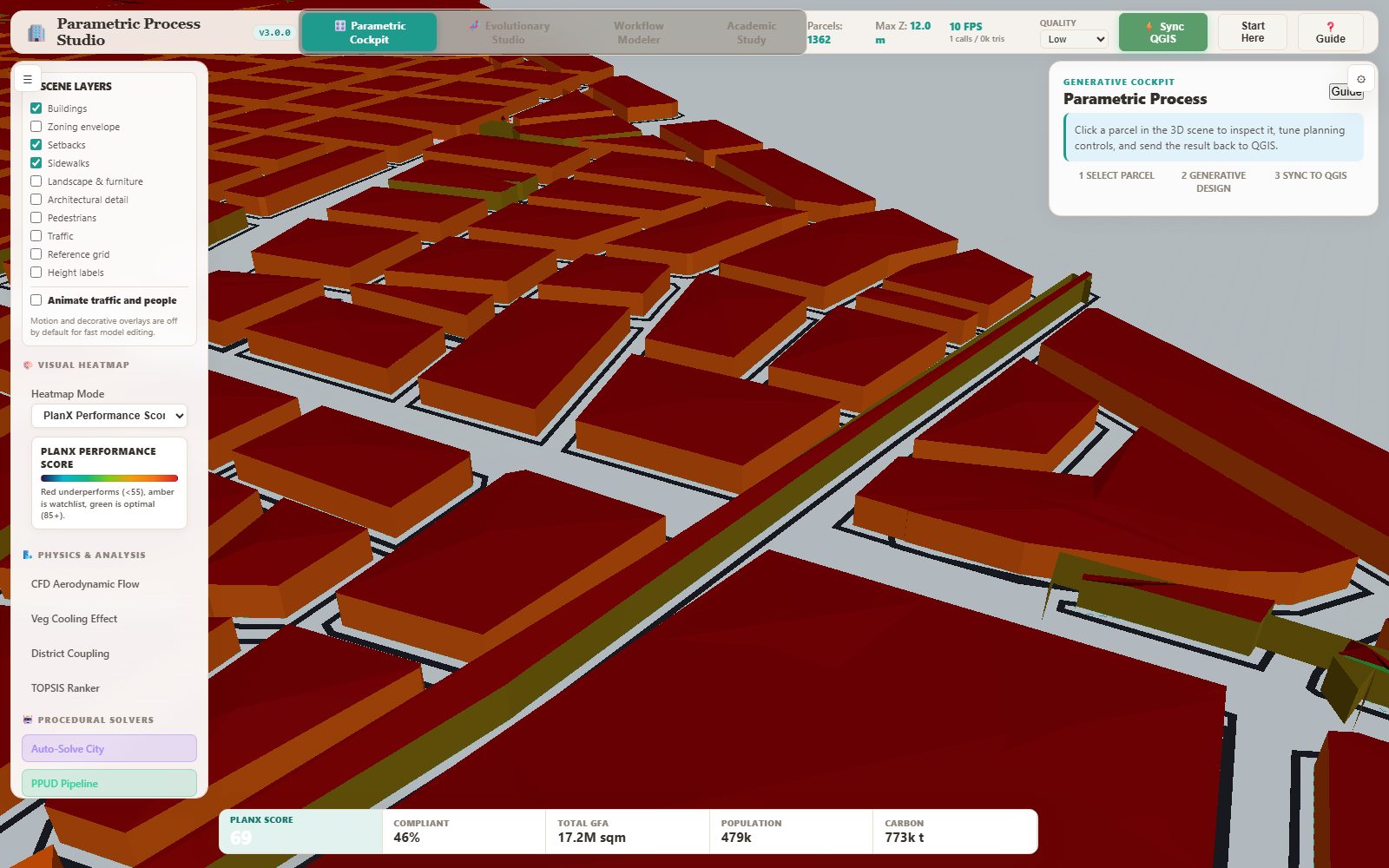
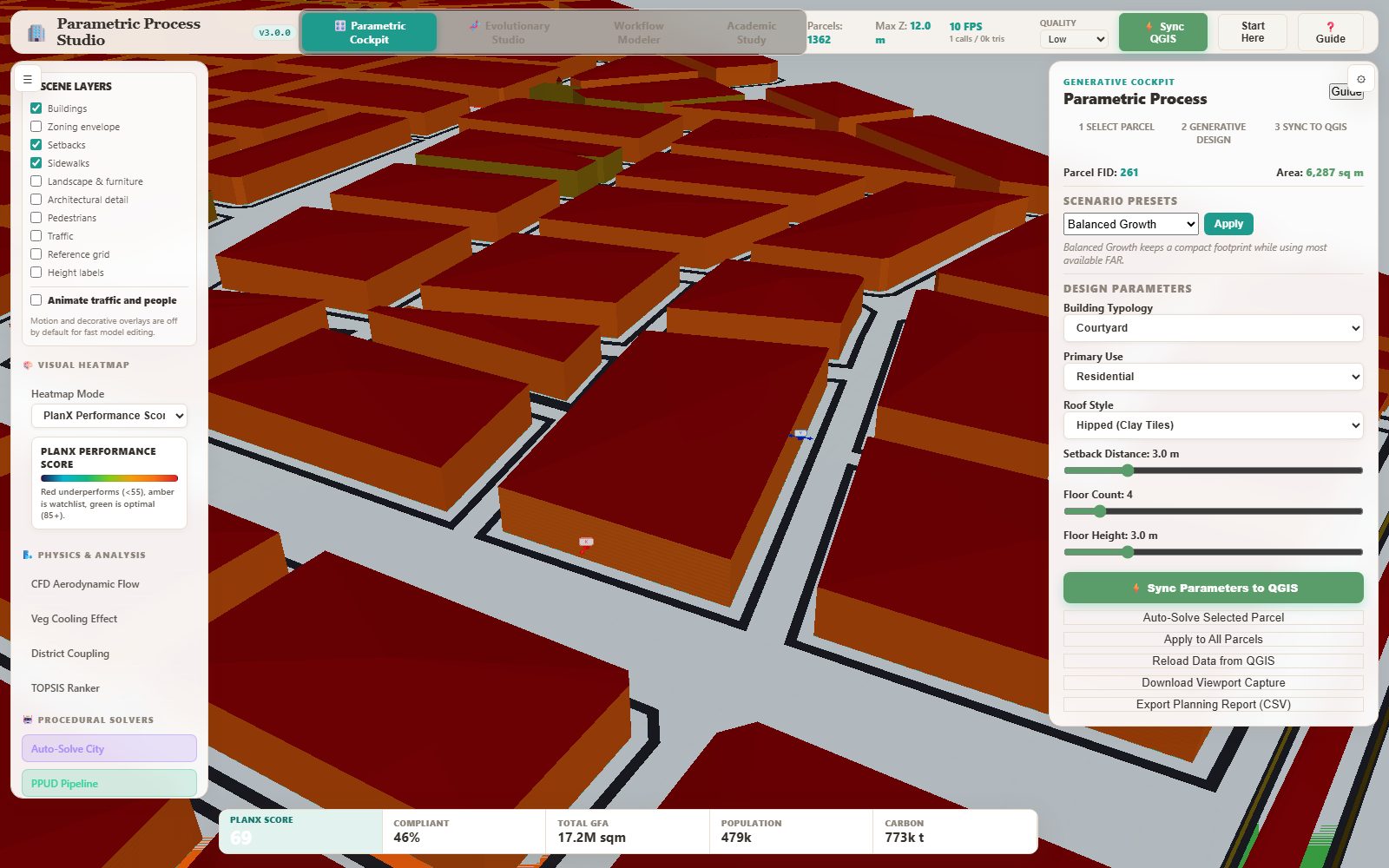
The cockpit is a Three.js city model built from the parcel layer you launched it with. It draws the blocks, extrudes the current massing, keeps the street network visible, and lets you click any parcel to open its design controls: typology, use, roof style, setback, storey count and storey height, with scenario presets and a live score readout.
Step by step
- Launch the cockpit from the dock with your parcel layer selected — the whole layer is exported to the local server and streamed into the scene.
- Orbit with the left mouse button, pan with the right, zoom with the wheel. The HUD keeps the parcel count, the maximum Z and the frame rate visible.
- Click a block. The inspector opens with the parcel's area, the scenario presets and the design sliders.
- Choose a Building Typology (Courtyard, Slab, Tower, PodiumTower, SteppedTower, MultiBuildingBlock), a Primary Use and a Roof Style, then set Setback Distance, Floor Count and Floor Height.
- Watch the live score bar at the bottom: PlanX Score, Compliant share, Total GFA, Population and Carbon all recompute as you move the sliders.
- Press Sync Parameters to QGIS to write the reviewed design back into the layer, or Export Planning Report (CSV) for a table.
The result
When it goes wrong
- The scene shows a demo city — the server could not read the layer; reload the data from QGIS in the cockpit.
- The model is tiny or collapsed — the layer was exported in degrees; the dock reprojects geographic layers, but a hand-made GeoJSON must be projected.
- The frame rate is low — lower the Quality selector to Low and switch off decorative layers.
Evolutionary Studio & the Pareto Analytics Studio
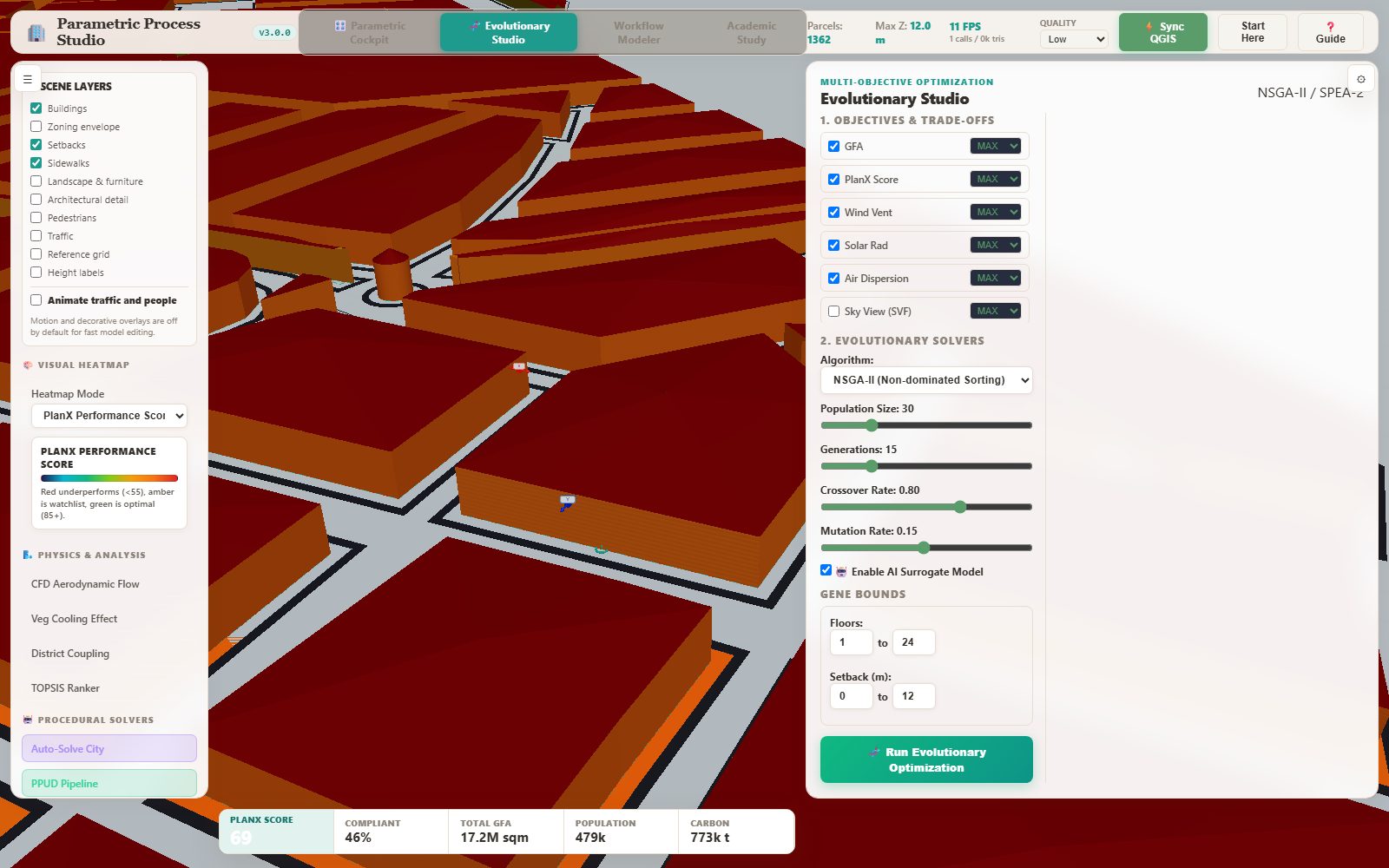
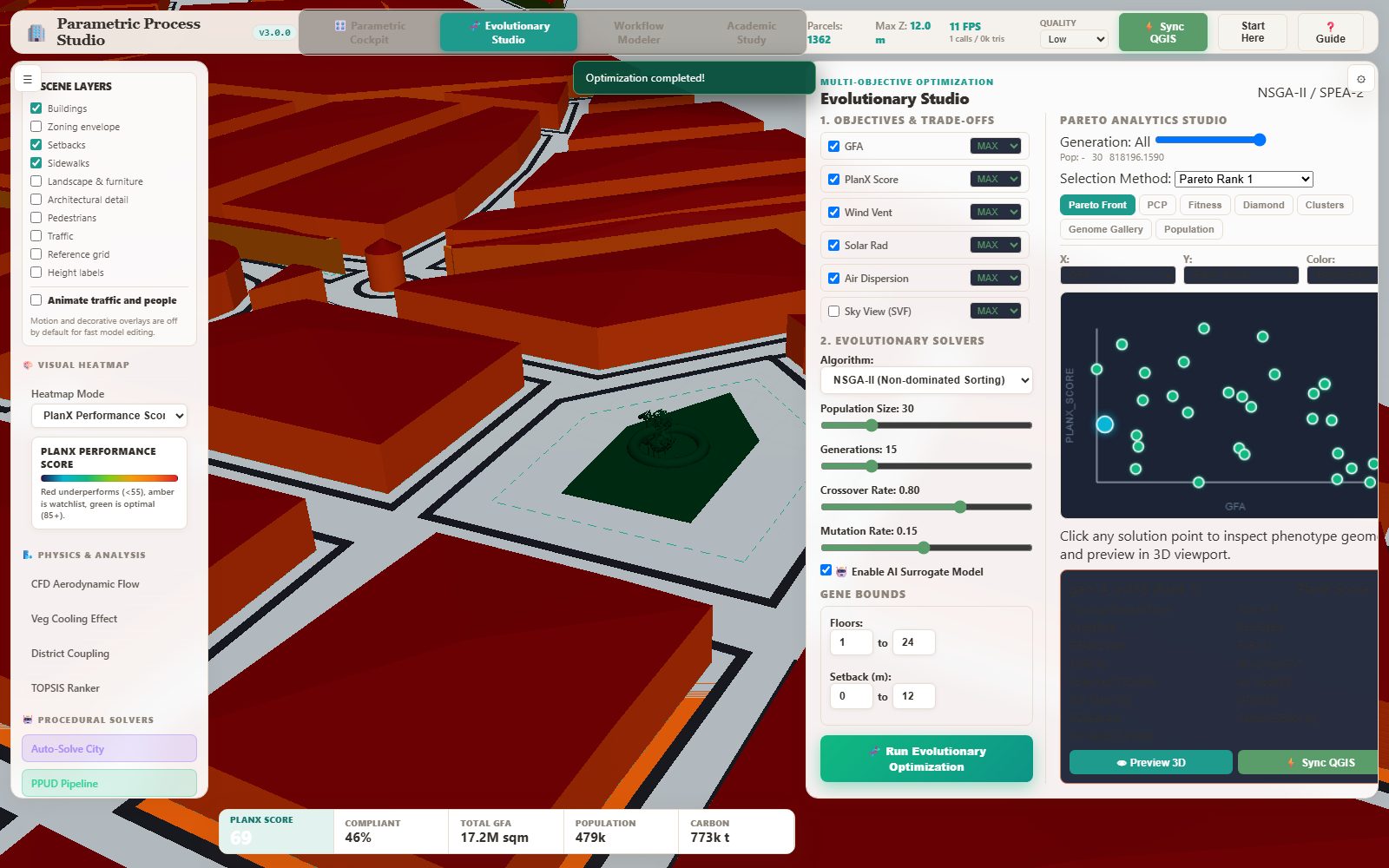
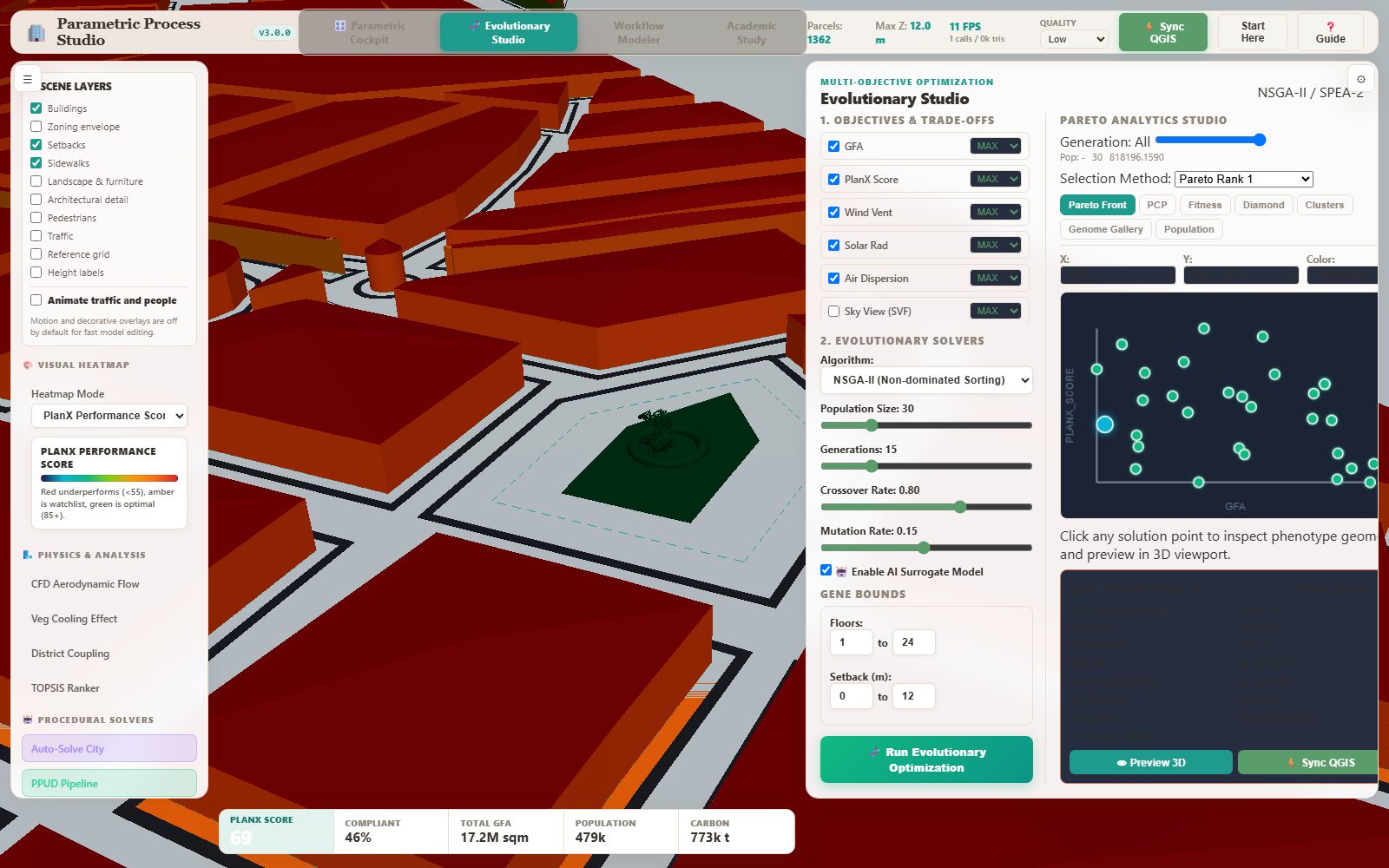
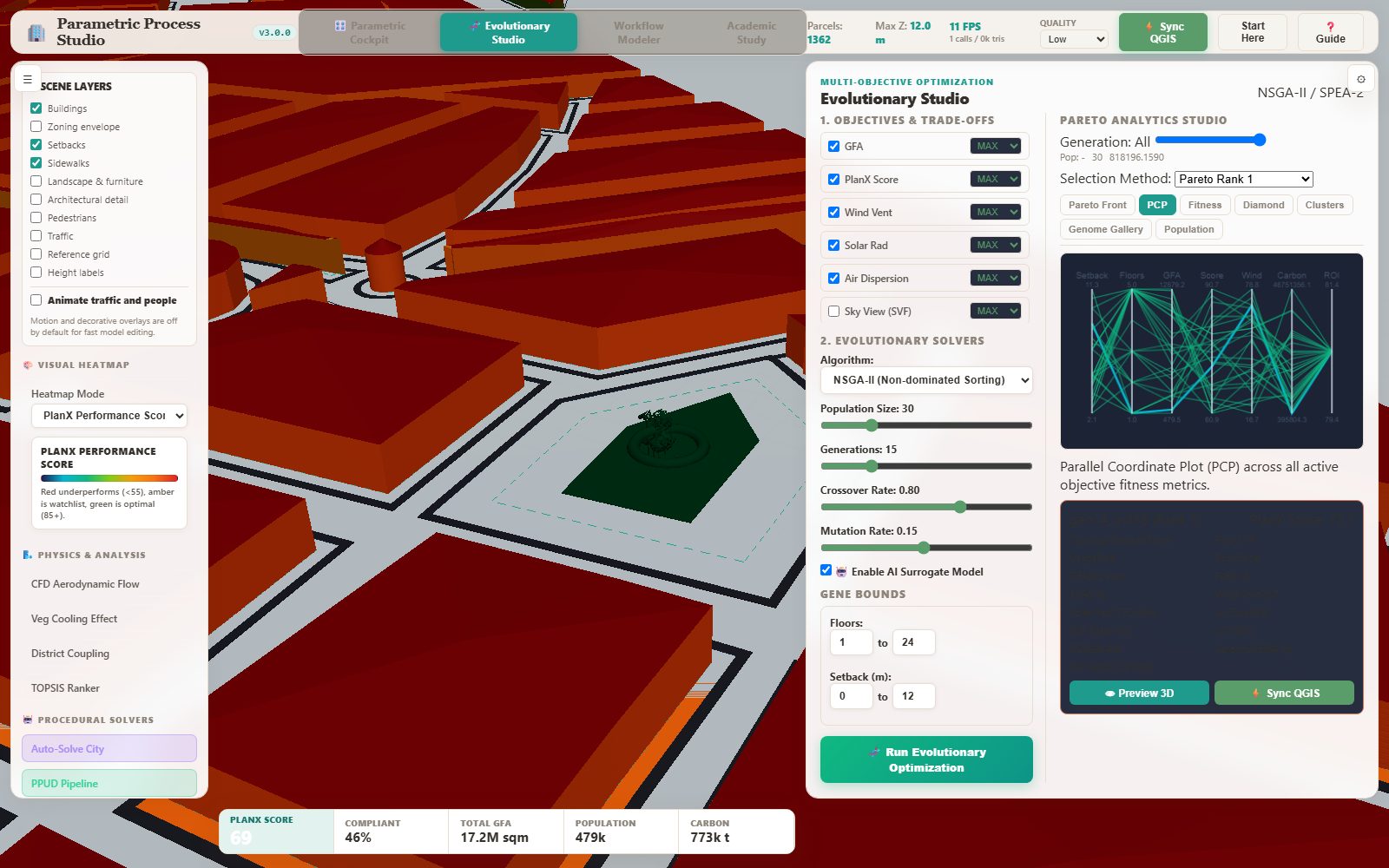
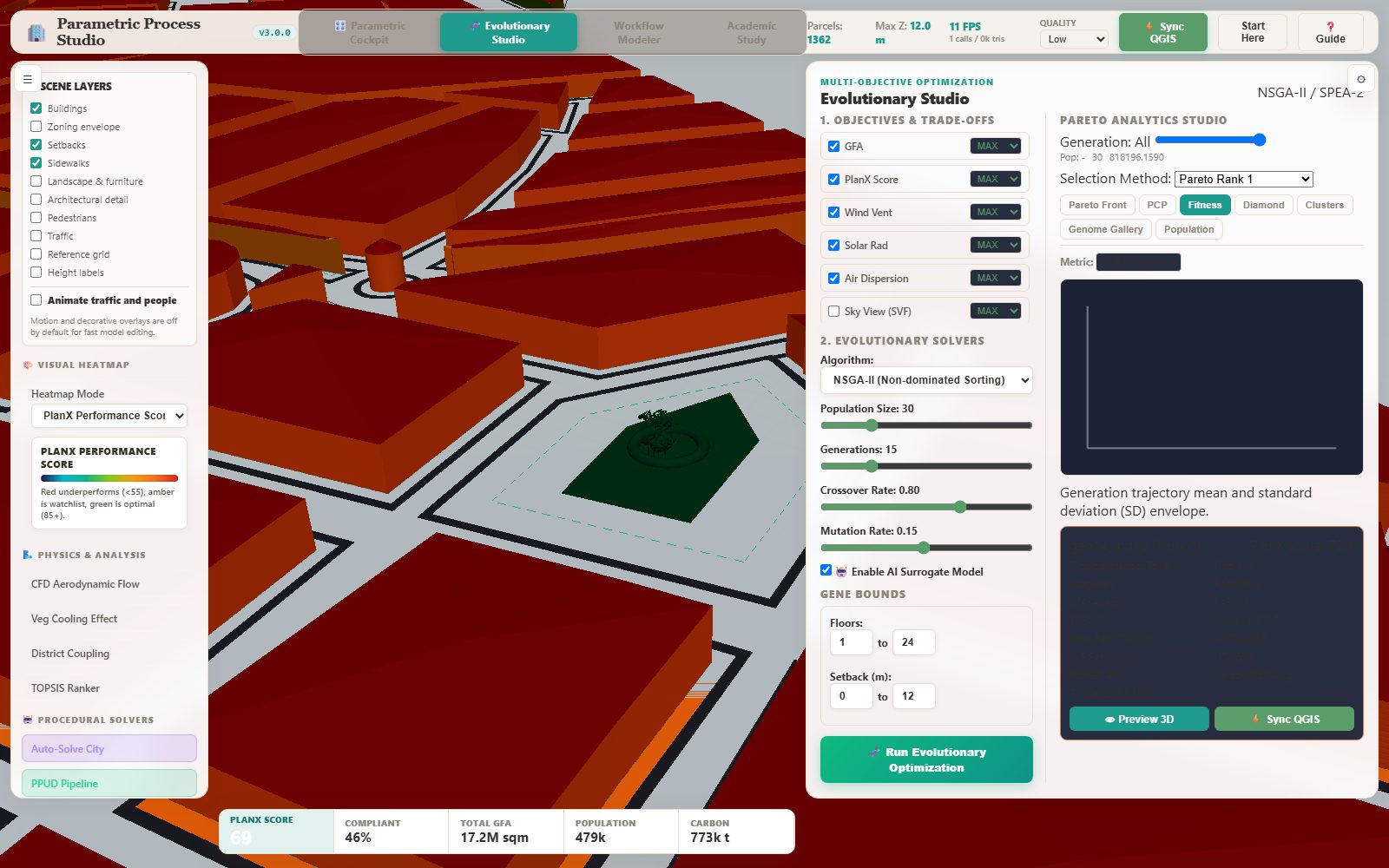
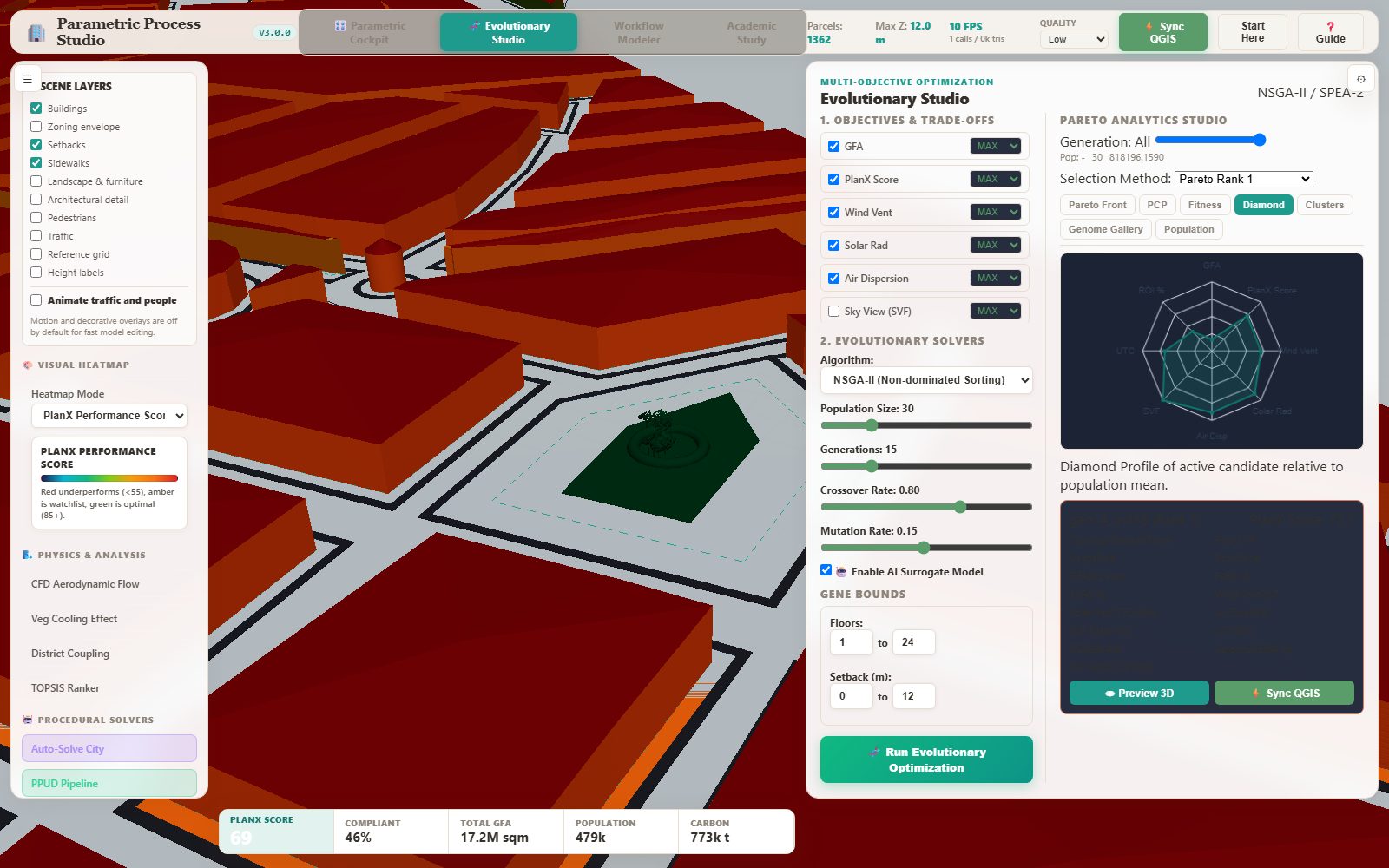
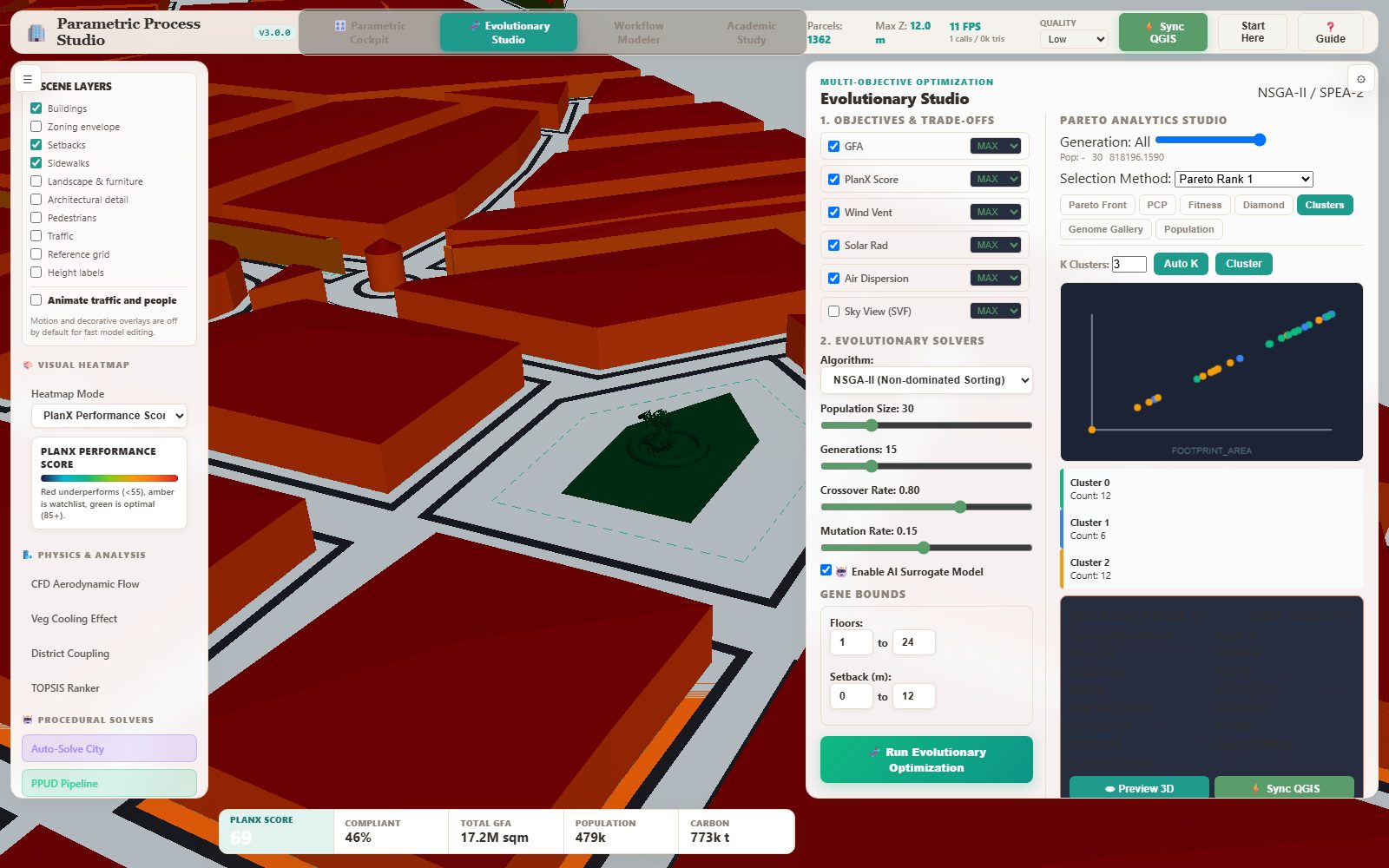
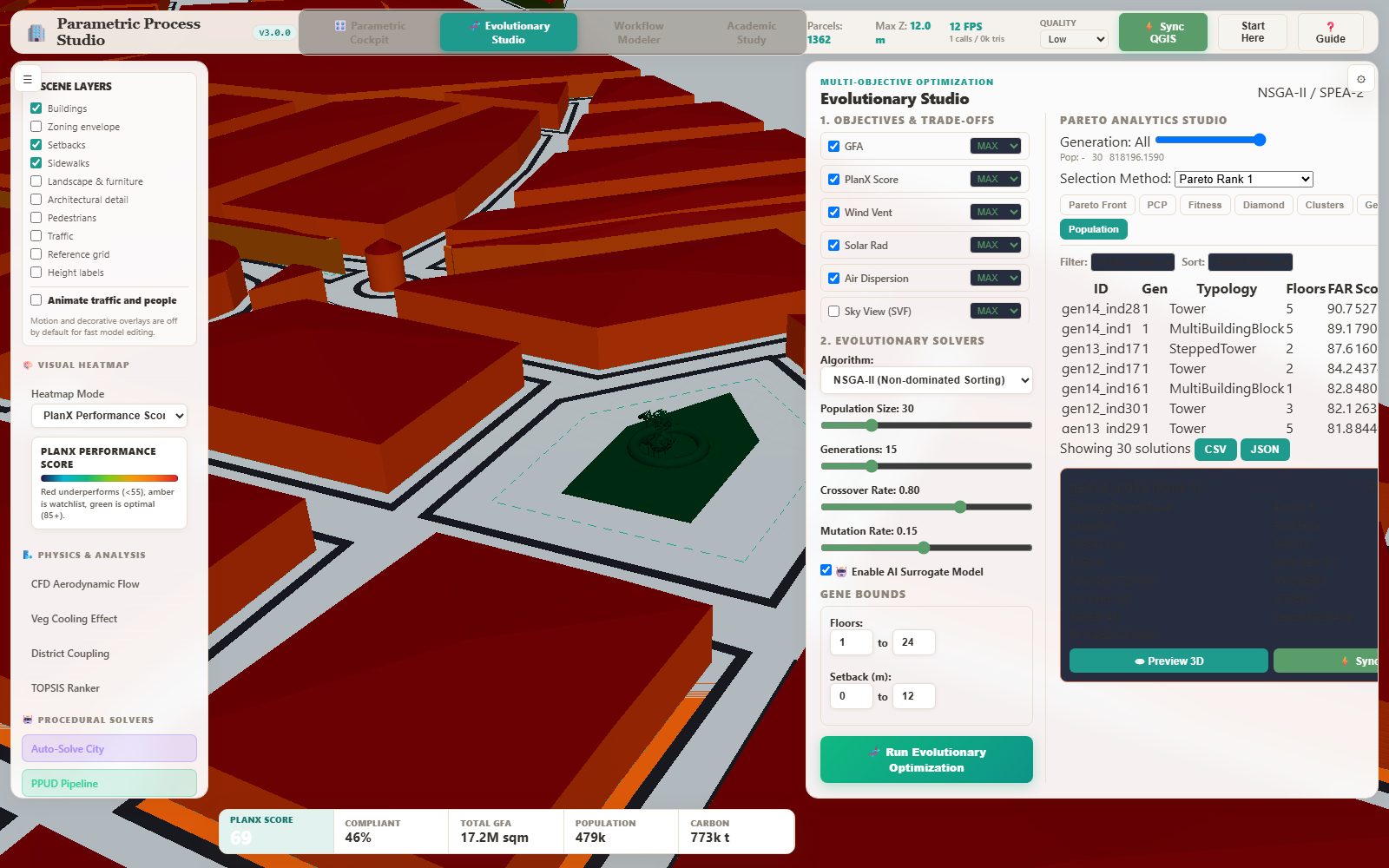
The Evolutionary Studio is where the multi-objective solver runs: you choose the objectives and whether each is maximised or minimised, pick the algorithm, set population, generations, crossover and mutation, define the gene bounds, and optionally enable the AI surrogate model. When it finishes, the Pareto Analytics Studio opens with six views of the same solution set.
Step by step
- Open the Evolutionary Studio and tick the objectives you care about: GFA, PlanX Score, Wind Vent, Solar Radiation, Air Dispersion, Sky View (SVF). Each has a MAX/MIN switch — decide what 'better' means before you run.
- Choose the algorithm, population size and generations, and set the gene bounds (floors, setback) to the range your zoning allows.
- Press Run Evolutionary Optimization. The progress bar tracks the generation.
- In the Pareto Analytics Studio, read the scatter plot first: X and Y are any two objectives, the colour mode can be Pareto Rank, K-Means cluster or generation trajectory.
- Use the parallel coordinates plot to brush-filter the set across all objectives at once — this is how you find the narrow, defensible region of the front.
- Read the fitness convergence chart to check that the run actually converged, the radar chart for one solution's profile, the cluster view for how many distinct families of solutions exist, and the population table for the ranked list you will present.
The result
When it goes wrong
- The run finishes but the studio stays empty — the analytics container only opens when a run completes; check the progress text.
- Every point has the same colour — the colour mode is 'Pareto Rank' and everything is rank 1; switch to K-Means or generation trajectory.
- The brush filter selects nothing — the axes are in different units; use the axis selectors to pick comparable metrics.
Visual rule workflow modeler
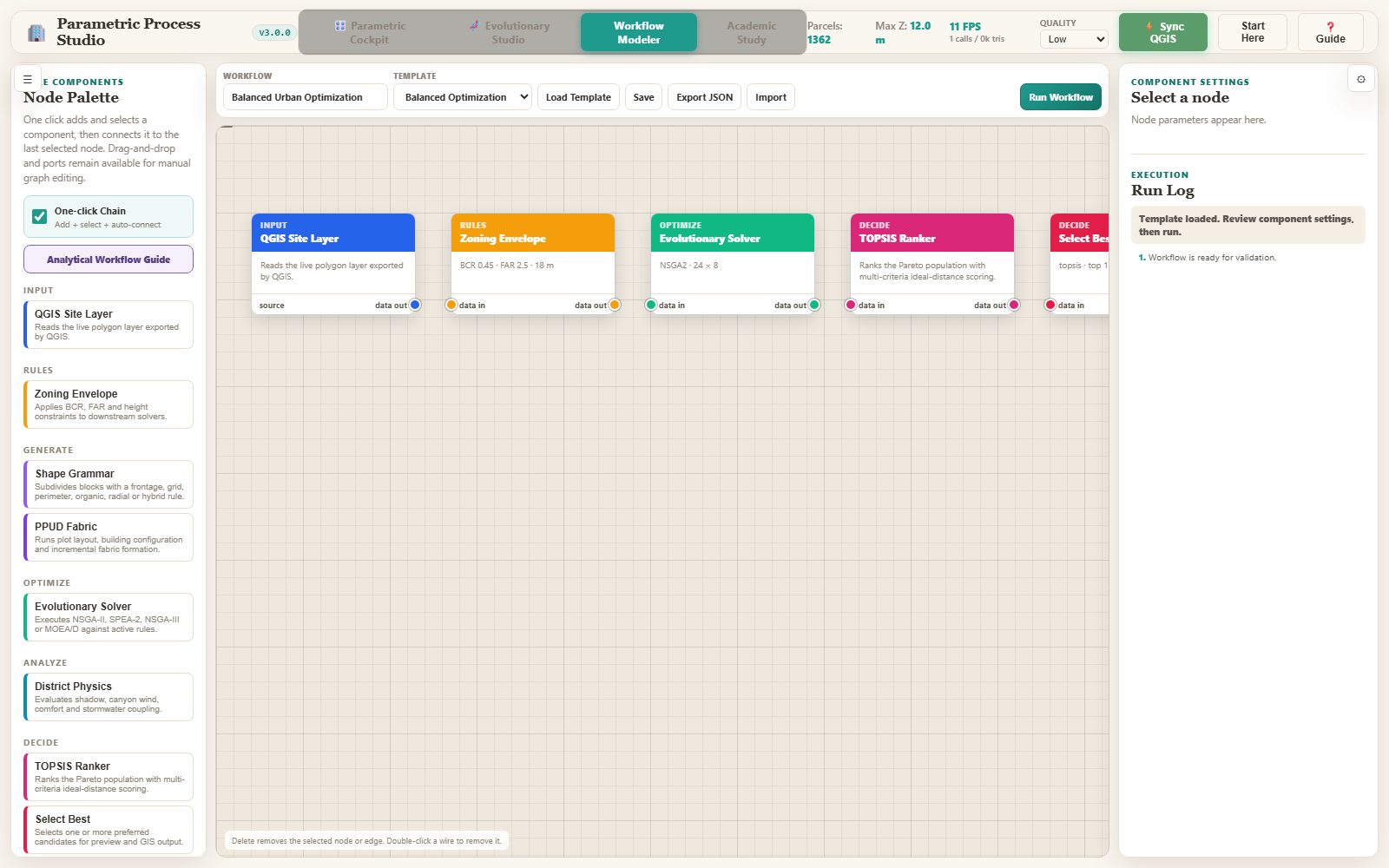
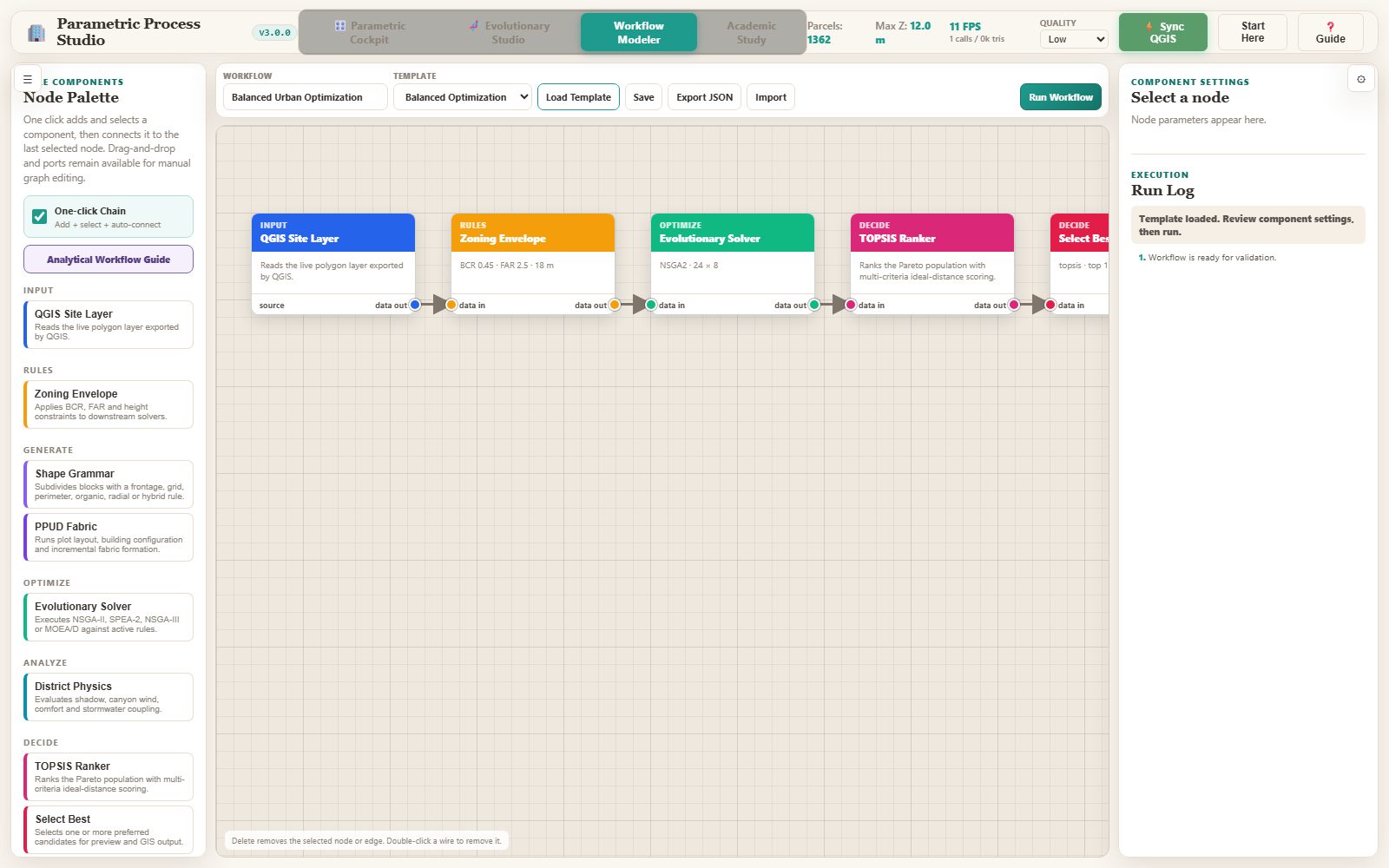
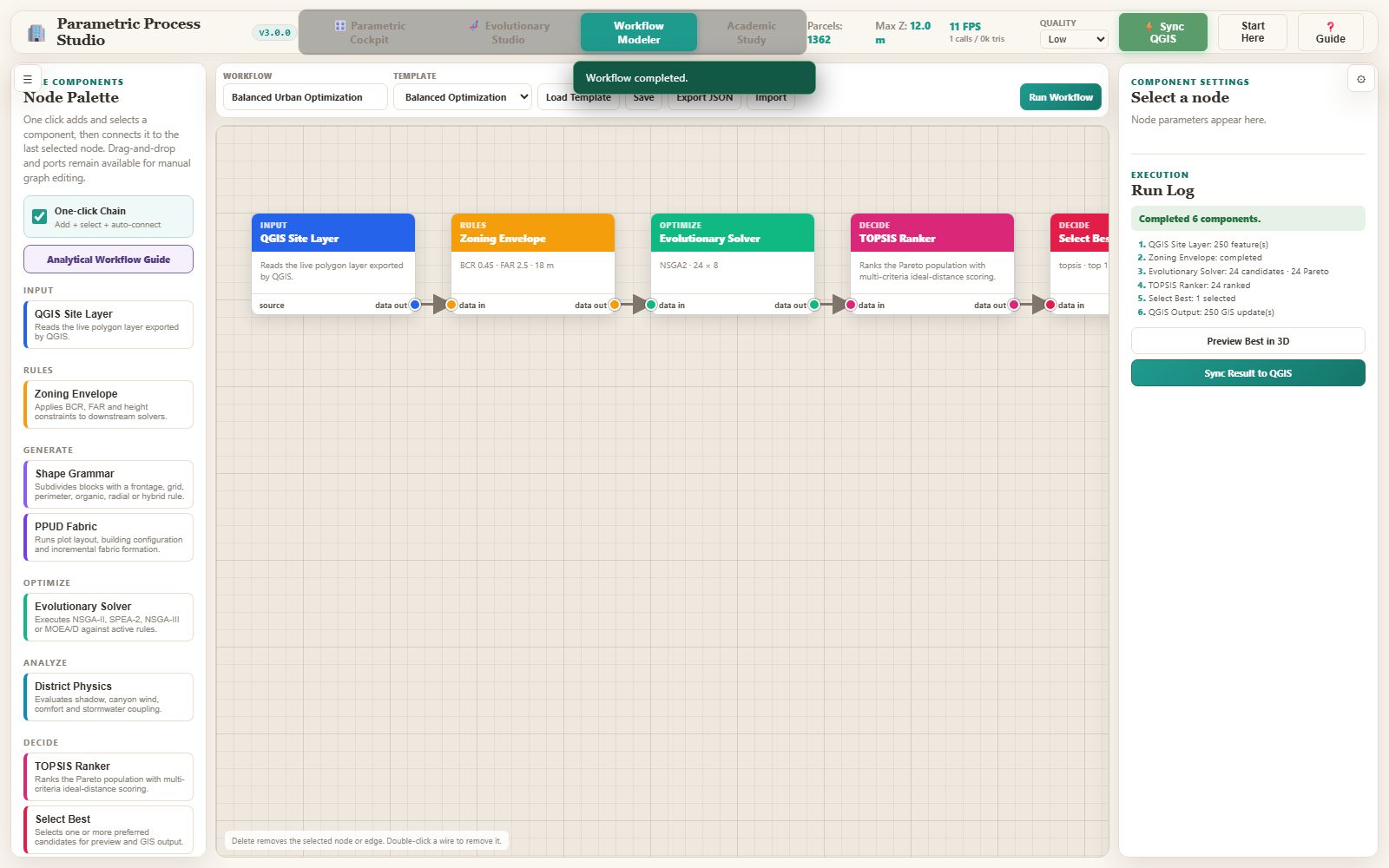
The workflow modeler is a Grasshopper-style node canvas. A workflow chains site input, zoning, shape grammar, PPUD, the evolutionary solvers, the district physics, TOPSIS ranking, selection and QGIS output into one executable graph. Templates ship for balanced growth, feasibility-first, low-carbon, climate-responsive, PPUD and district scenarios.
Step by step
- Open the Workflow Modeler from the dock or the top navigation.
- Pick a template from the selector and press the new-workflow button, or add nodes one at a time and connect them by dragging.
- Run the graph. The run log reports each component and the final status.
- Inspect a node to see its parameters and edit them; the inspector shows the component description and its fields.
- Use Preview Result to inspect the produced phenotype, Sync Result to push it back to QGIS, and Export / Import to move a workflow as portable JSON.
The result
When it goes wrong
- A run fails at a node — open the run log; the failing component and its message are written there.
- The graph is empty after loading a template — the template must be applied with the new-workflow button, not just selected.
- The preview is empty — the graph has no QGIS output node, so there is nothing to preview.
Academic study workspace
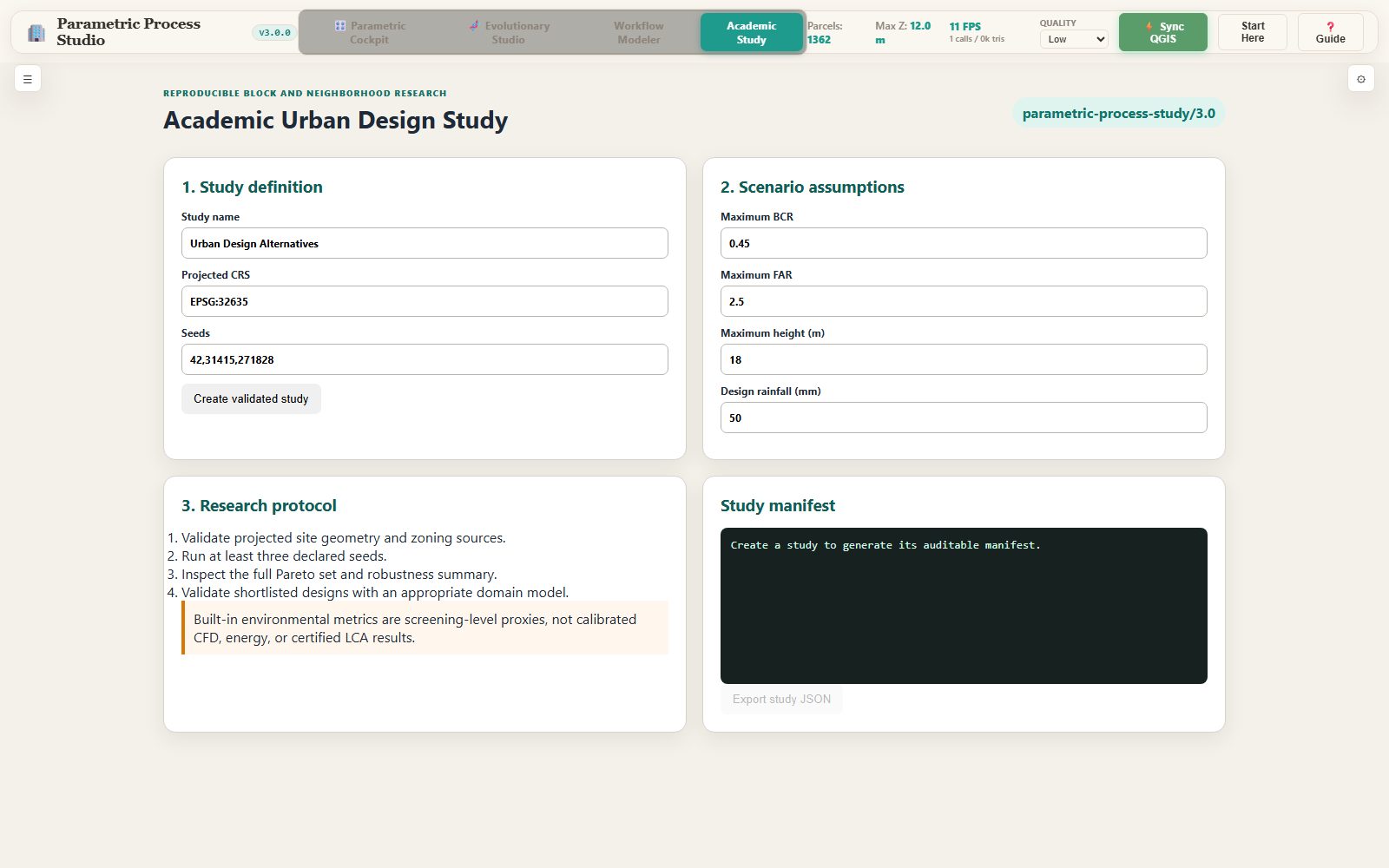
The Academic Study workspace is the browser half of the research protocol. It creates a versioned study record with its schema badge, sets the CRS, the seeds and the constraint envelope, runs the study, and exports a signed study JSON that carries the study id, the seeds, the assumptions and the provenance of every input.
Step by step
- Open the Academic Study workspace.
- Name the study and set its CRS to the site CRS.
- Enter the seeds as a comma-separated list, then the constraint envelope: BCR, FAR and height, plus the rainfall event and the canopy target.
- Create the study and read the result: the study id and the schema version appear in the panel.
- Export the study JSON. The file name carries the study id, and the record is what an auditor reads.
The result
When it goes wrong
- The export button stays disabled — no study has been created yet.
- The schema badge shows an unexpected version — the plugin was updated since the study was created; create a new study rather than editing an old one.
- The study will not run — check the seeds: they must be a comma-separated list of integers.
Every module, one line
| Module | Workspace | Processing ID |
|---|---|---|
| The Studio dock — the launcher | Getting started | — |
| Preparing a parcel layer for the engines | Getting started | — |
| Parametric multi-objective optimization | Evolutionary Engine | parametric_process:parametric_optimization |
| Four solvers, one site, real numbers | Evolutionary Engine | parametric_process:parametric_optimization |
| Urban physics & microclimate evaluator | Physics & Microclimate | parametric_process:urban_physics_evaluator |
| Urban morphology & canyon analytics | Physics & Microclimate | parametric_process:urban_morphology_analytics |
| Procedural shape grammar — subdividing a block | Generative Geometry | parametric_process:procedural_shape_grammar |
| Multi-parcel district environmental coupling | Generative Geometry | parametric_process:district_environmental_coupling |
| PPUD pipeline — plot, building, fabric | Generative Geometry | parametric_process:ppud_pipeline |
| Academic urban design study | Research Protocol | parametric_process:academic_urban_design_study |
| The 3D cockpit | The browser studio | — |
| Evolutionary Studio & the Pareto Analytics Studio | The browser studio | — |
| Visual rule workflow modeler | The browser studio | — |
| Academic study workspace | The browser studio | — |